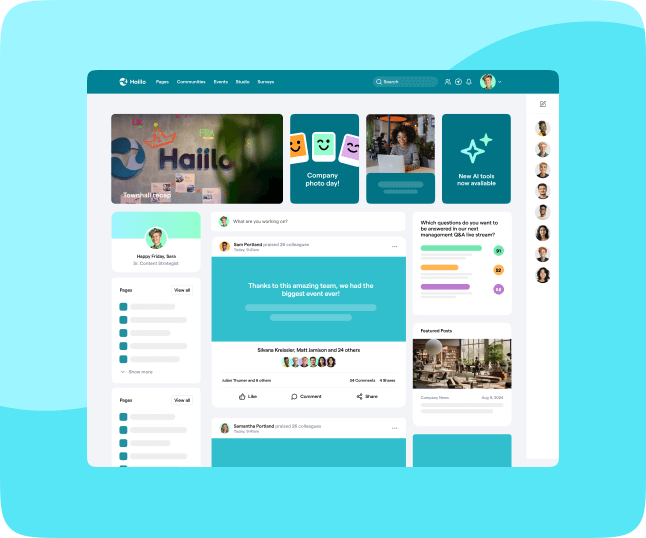

Intranet user experience (UX) plays a critical role in shaping how employees interact with workplace tools, documents, information, and people. A strong intranet user experience makes everyday tasks easier, faster, and more intuitive, reducing friction and frustration.
Whether it’s fostering collaboration, sharing knowledge, or aligning with corporate values, a well-designed intranet can make a significant difference in employee productivity and satisfaction. It helps employees find what they need quickly, stay informed, and feel more connected to their organization. In fact, intranet UX plays a critical role in shaping a positive digital employee experience by supporting smoother workflows and better communication.
However, many businesses still struggle with choosing or building an intranet that truly engages users. Employees often face cluttered interfaces, outdated content, or tools that are hard to navigate. These issues lead to low adoption and wasted time. Without a clear focus on intranet user experience, even feature-rich platforms can fail to deliver real value to the workforce.
In this blog, we’ll explore why intranet UX is so important and how organizations can ensure the best intranet UX.
Why Intranet UX Matters
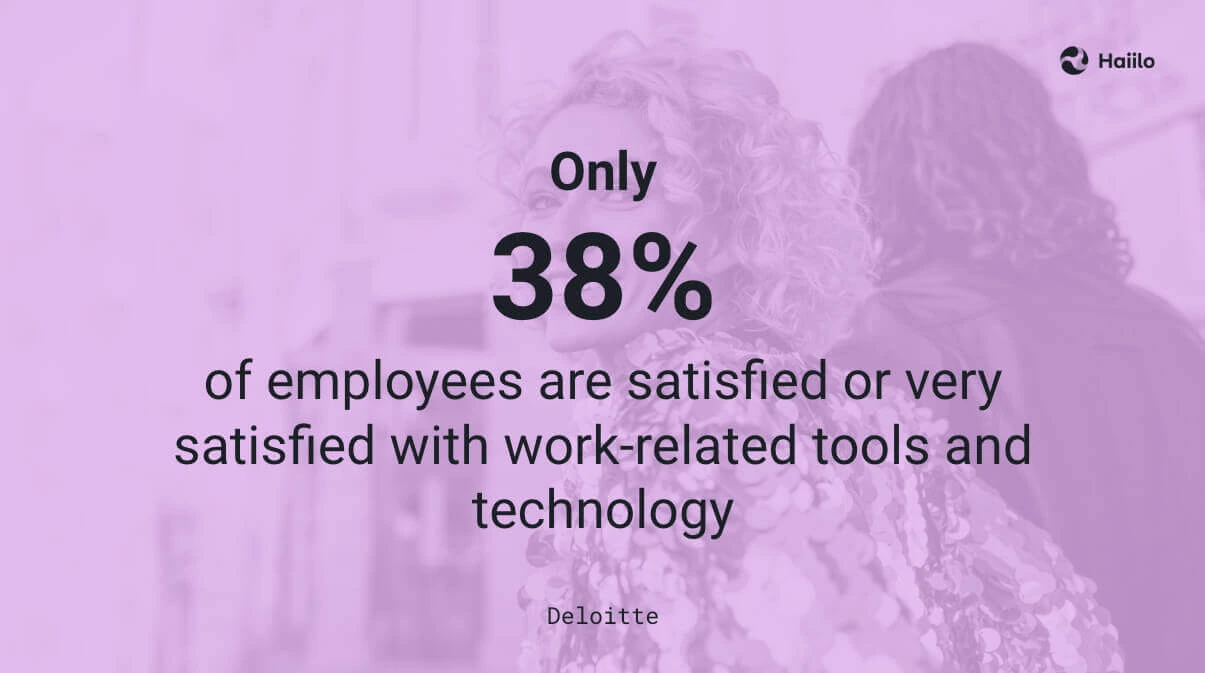
When we think about a successful intranet, user experience should be at the top of the priority list. If employees struggle to use it, they simply won’t. Research shows that poor usability is still a major issue—many employees find it difficult to locate information using their company’s intranet, which clearly points to gaps in intranet user experience. This frustration slows people down, creates unnecessary workarounds, and ultimately reduces both productivity and engagement.
A great intranet is much more than just a set of various features; it ensures that employees can find what they need quickly, collaborate without friction, and stay connected to the company’s goals. When intranet user experience is designed with real user needs in mind, it removes barriers instead of adding them. This leads to faster workflows, fewer support requests, and more confident employees.
Key benefits of good intranet UX
Intranet UX has a significant impact on shaping the overall employee experience in the workplace. When organizations invest in improving intranet user experience, the results are often visible across multiple areas of the business—from communication to performance.
So when intranet user experience is great, organizations usually see:
- Increased intranet adoption: The intuitive interface reduces the time spent on training and makes it easier for employees to get started. As a result, more people use the platform regularly instead of avoiding it.
- Increased employee engagement: When adoption rises, employees are more likely to check updates, interact with content, and stay informed about what’s happening across the company.
- Enhanced collaboration: A well-designed intranet removes silos by making it easier for teams to connect, share documents, and communicate in one central place.
- Improved productivity: Clear navigation, logical structure, and strong search functionality help employees find what they need faster, cutting down on wasted time.
- Better knowledge management: A seamless UX makes it easier to organize, update, and access information, ensuring knowledge stays useful and doesn’t get lost.
Learn more about Haiilo’s best-in-class UX!
The cost of bad intranet UX
In contrast, poor intranet UX can create bottlenecks, confusion, and daily frustration. When information is hard to find or the platform is difficult to navigate, employees waste time on simple tasks. They click through too many pages, rely on coworkers for answers, or give up on the intranet entirely. Without a strong intranet user experience, even basic workflows become slower and more stressful.
Over time, that friction affects more than productivity. It can also damage motivation, and morale. If employees cannot trust the intranet to help them find accurate, timely information, they are less likely to use it. That lowers adoption, weakens internal communication, and reduces the value of the platform as a central workplace hub.
Additionally, poor intranet design can create many communication barriers. Important updates may be buried, hard to access, or easy to miss. When that happens, employees can lose context, misunderstand priorities, or miss critical announcements. These gaps can lead to avoidable mistakes, duplicated work, and slower decision-making.
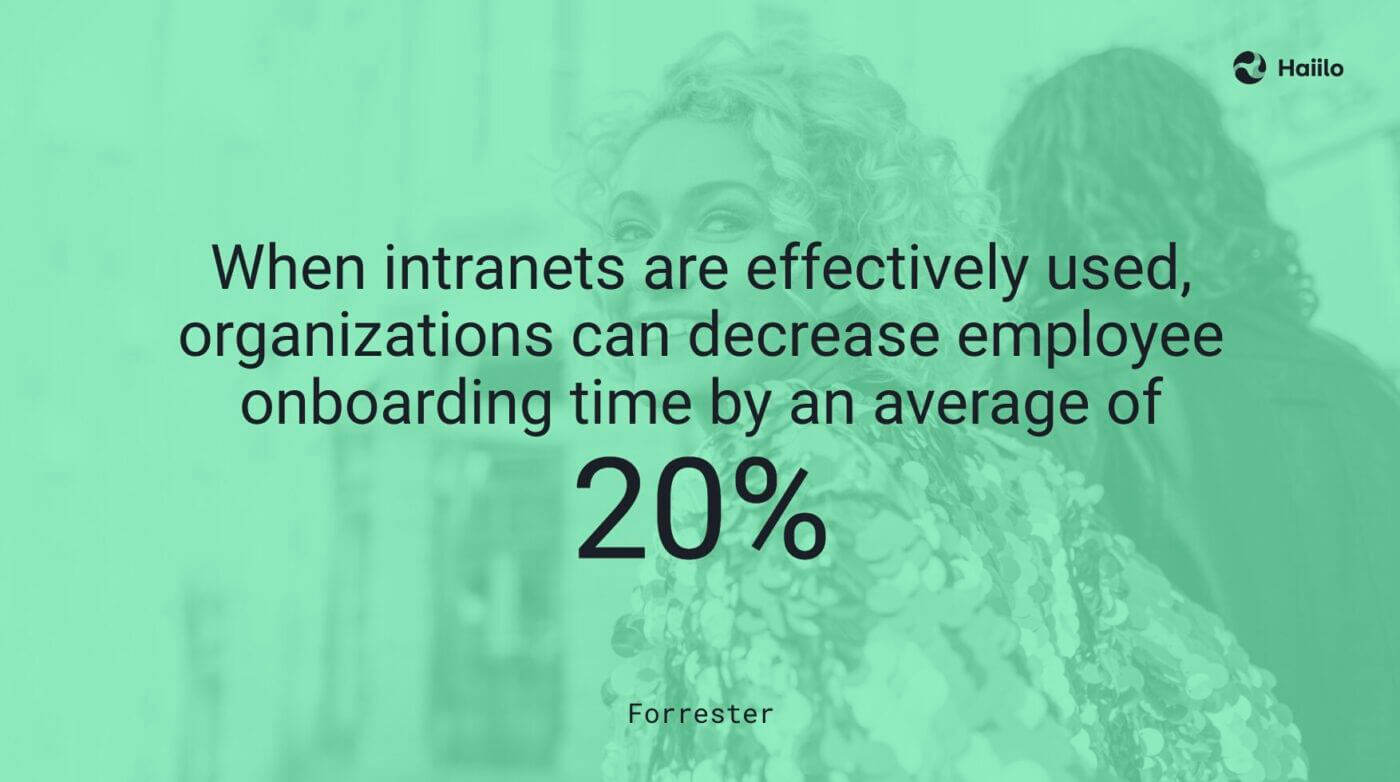
Last but not least, poor intranet UX can significantly impact employee onboarding. New hires depend on the intranet to find policies, key documents, training materials, and answers to everyday questions. If that experience feels cluttered or confusing, it takes longer for them to settle in and become productive. A better intranet user experience helps new employees learn faster, build confidence sooner, and start contributing with less support.
How to Improve Intranet UX
Improving the user experience of your employee intranet requires a thoughtful approach to design, functionality, and real user needs. It’s not just about adding new features—it’s about making the intranet easier, faster, and more useful in everyday work. A strong intranet user experience helps employees complete tasks with less effort and fewer frustrations. Here are some steps organizations can take to create a more effective intranet UX.
1. Focus on user-centric design
The best intranets are built around how employees actually work, not how organizations think they should work. A user-centric design focuses on real behaviors, common tasks, and pain points. The goal is to remove friction and make key actions feel simple and intuitive. Modern intranets also make it easier for teams to manage content without heavy technical effort, often using flexible, drag-and-drop tools.
What to look for?
- Gather employee feedback: Regularly ask employees what works and what doesn’t. Use surveys, quick polls, or feedback forms to uncover gaps in the intranet user experience.
- User personas: Create personas based on roles, departments, and needs. This helps ensure the intranet supports different workflows and enables more personalized, relevant content.
- Employee journey mapping: Map how employees complete key tasks, such as finding documents or submitting requests. This highlights friction points and shows where improvements will have the biggest impact. Built-in analytics can provide valuable insights into how the intranet is used day to day.
The best intranet platforms come with built-in employee listening functionalities. With Haiilo, you can attach a simple question to every piece of content you post on your intranet. These insights from your employees can help you better understand their overall intranet user experience and continuously improve it.
2. Simplify navigation and search
A common problem with many intranets is that information is buried deep within the system, making it difficult to find what employees need. When navigation is unclear, employees waste time clicking through pages or rely on others for help. Improving navigation and search is one of the fastest ways to enhance intranet user experience.
What to look for?
- Intuitive menu structure: Use clear labels and logical categories that reflect how employees think and work. Keep the structure simple to reduce cognitive load and make navigation predictable.
- AI-powered search: A modern search function should understand intent, not just keywords. It should surface the most relevant results quickly and pull answers from across your intranet and connected systems.
Check out how Haiilo’s AVA integrates with your search! 👇
- Bookmarking: Saving posts on the timeline by bookmarking them. This allows employees to quickly return to important updates, documents, or resources without searching again. Over time, it helps them build a personal, easy-to-access knowledge hub tailored to their role and daily tasks.
The best solutions out there go beyond basic navigation and offer powerful, AI-powered search engines that make finding content fast and intuitive. Whether employees are looking for specific documents, updates, or colleagues, a strong intranet user experience ensures that everything is easy to discover and accessible within seconds—not buried under layers of content.
3. Integrate with existing tools
Some of the most important intranet best practices include integrations. An intranet should never exist in isolation. Employees already rely on multiple tools throughout the day, and switching between them creates friction. Integrating the intranet with tools they already use is essential for improving intranet user experience and keeping workflows smooth.
Seamless integration with communication apps, project management tools, and document storage solutions keeps everything connected in one place. This reduces context switching, saves time, and helps employees stay focused on their work.
What to look for?
- Single Sign-On (SSO): Implement SSO to reduce the number of logins employees need. This makes access faster and removes common barriers to using the intranet regularly.
- App integration: Ensure the intranet integrates with collaboration tools like Slack, Office 365, email, Google Workspace, and even SMS. This allows employees to access key information without leaving their primary tools.
- Active Directory or LDAP: Enable teams to manage users, devices, and permissions from one central location. This improves security while simplifying IT management.
- HRIS integrations: Allows teams to request time off, view personal data, and check remaining vacation days directly within the intranet, reducing the need to switch systems.
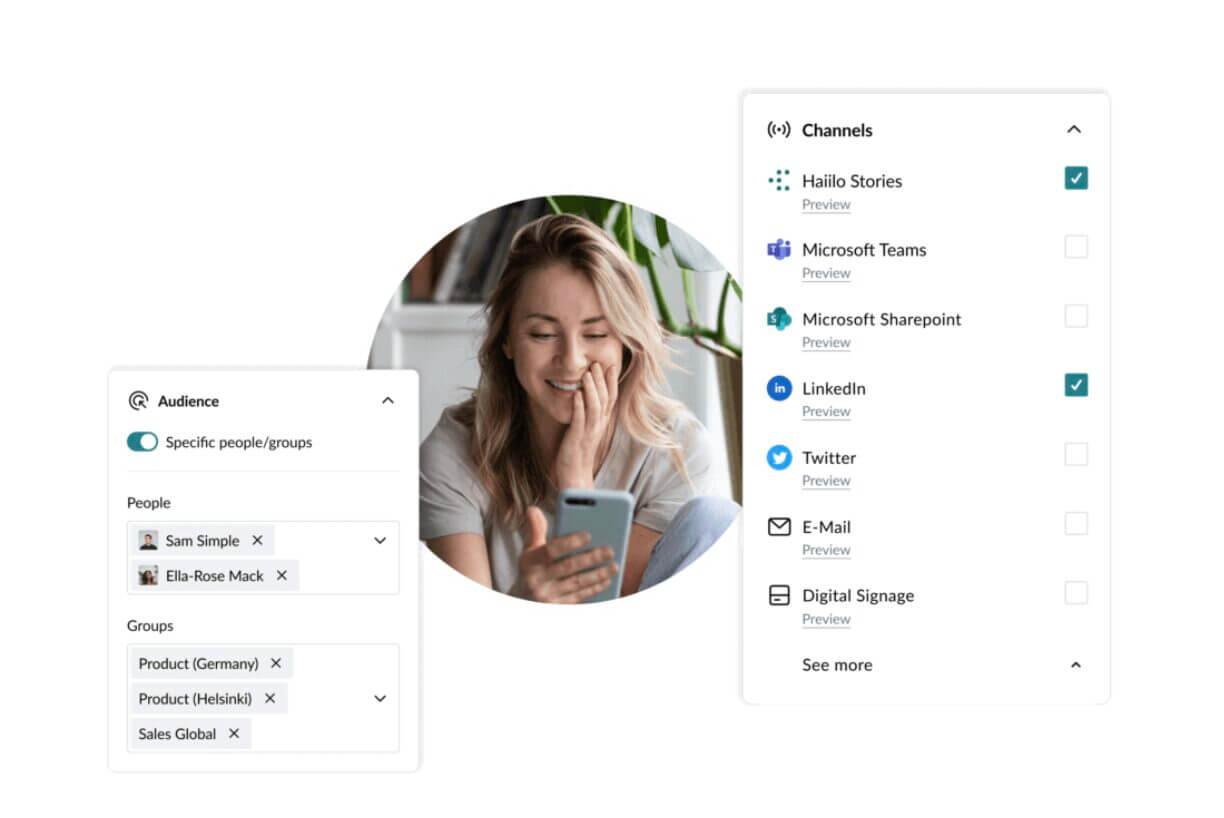
To improve intranet UX, the solution should integrate with a variety of business tools, from communication channels to project and document management systems. The goal is to create a connected digital workspace where employees don’t have to switch between platforms to get things done. Haiilo’s approach focuses on fitting naturally into an employee’s daily routine, reducing friction and helping teams work more efficiently.
4. Personalization and customization
No two employees work the same way, and a one-size-fits-all approach rarely delivers a strong intranet user experience. By offering digital personalization and customizable features, organizations can deliver relevant content based on each employee’s role, location, or department. This makes the intranet feel more useful and less overwhelming.
Customization is also critical for admins and content managers. They need the flexibility to adapt the intranet to existing workflows, structures, and governance rules. When the platform fits the business—not the other way around—it’s much easier to maintain a consistent and effective experience.
What to look for?
- Role-based permissions: Define clear access levels for individuals, teams, or departments to ensure the right people see the right content.
- Approval processes: Streamline content approvals so updates can be published quickly while still following internal processes and compliance requirements.
- Content segmentation: Allow users to follow relevant topics or channels, and use robust segmentation capabilities to build target audiences for more targeted communication.
Intranets with the best UX emphasize personalization. By creating a more relevant experience and targeted multichannel communications, they help increase employee engagement, reduce noise, and ensure important messages reach the right people.
5. Mobile optimization
With more employees working remotely or on the go, mobile access is essential for a strong intranet user experience. Employees expect to access information anytime, anywhere—whether they’re at a desk, in the field, or between meetings.
What to look for?
- Mobile-first design: Design the intranet with smaller screens in mind, ensuring layouts are clean, readable, and easy to navigate on any device.
- Mobile apps: Provide dedicated apps for Android and iOS so employees can quickly access key tools, updates, and notifications on the go.
- Cross-device syncing: Ensure a seamless experience across devices so employees can switch between desktop and mobile without losing context or progress.
The best intranet UX includes a fully mobile-optimized platform designed with frontline workers in mind. Whether employees are in the office, at home, or on-site, they can easily access the information they need and stay connected to their teams.
6. Measure and improve
The key to improving intranet user experience over time is continuous measurement. Without data, it’s difficult to know what’s working and what needs fixing. Regularly analyzing usage patterns and feedback helps teams make smarter, more targeted improvements.
What to look for?
- User analytics: Track how employees use the intranet, including page views, search queries, and engagement levels. This reveals which content is valuable and where users struggle.
- Employee listening: Continuously gather feedback through surveys, polls, and in-platform prompts to uncover pain points and identify opportunities to improve the overall intranet user experience.

- A/B testing: Use A/B testing to try different designs, layouts, or content strategies to see what resonates best with users.
Best-performing intranets include built-in analytics tools, allowing organizations to monitor user engagement and platform performance. This helps businesses make data-driven decisions to improve the intranet experience continually.
Launching an Intranet with the Best-In-Class UX
A well-designed intranet UX is more than a nice-to-have—it’s essential for employee engagement, productivity, and overall organizational success.
By focusing on user-centric design, simplifying navigation, integrating with existing tools, and leveraging Haiilo’s cutting-edge platform, businesses can create an intranet that truly meets the needs of their workforce.
At Haiilo, we understand the importance of delivering a great user experience. Our platform offers the tools and flexibility businesses need to create an intuitive, engaging, and productive intranet environment. Ready to launch an intranet with best-in-class UX?
Frequently asked questions about intranet user experience
1. What is intranet user experience and why does it matter?
Intranet user experience refers to how easy, useful, and intuitive your intranet feels for employees. It shapes how people find information, complete tasks, and communicate at work. A strong intranet user experience increases adoption, engagement, and productivity because employees actually want to use the platform—not avoid it.
If your intranet feels clunky or confusing, it quickly becomes a “last resort” tool. That’s why improving UX isn’t just about design—it directly impacts business outcomes. You can explore how modern solutions approach this in the platform overview and social intranet pages.
2. What are the biggest intranet UX problems companies face?
Common issues include poor navigation, weak search, outdated content, and too many disconnected tools. These problems create friction, reduce trust in the platform, and lead to low adoption. Employees often turn to other channels because the intranet feels harder to use than it should.
If this sounds familiar, you’re not alone. Learn more about typical challenges in intranet UX problems and how disconnected systems impact efficiency in digital fragmentation.
3. How can you improve intranet user experience quickly?
Start by simplifying navigation, improving search, and removing outdated or duplicate content. Then focus on personalization so employees see what’s relevant to them. Integrations also play a big role—connecting your intranet with existing tools reduces friction and saves time.
Modern platforms use AI to surface content and automate tasks. Explore how this works with AI features and integrations. For a structured approach, it also helps to align improvements with frameworks like those in change management models.
4. How do you measure if your intranet UX is improving?
To measure intranet user experience, combine data with feedback. Track metrics like search success, time to find information, and active usage. Then gather employee input through surveys or in-platform feedback to understand real pain points.
Tools with built-in analytics, like insights and analytics, help you see what’s working and where users struggle. You can also connect improvements to broader goals like better employee communications and stronger internal communication outcomes. For industry benchmarks, reports like Gallagher employee comms research can provide useful context.
Haiilo might be the perfect app for your comms needs. Get a demo now!