
Finding the right collaboration and content management platform is essential for driving productivity, maintaining communication, and keeping information secure and organized. As digital workplaces evolve, organizations are under increasing pressure to connect distributed teams, reduce information silos, and create seamless employee experiences across tools and channels.
SharePoint has long been a go-to solution for enterprises, but it isn’t the right fit for every organization. Whether it’s due to cost, complexity, or a desire for different features, many companies are exploring SharePoint alternatives to meet their unique needs—especially those actively focused on replacing SharePoint with more intuitive and engaging solutions.
More precisely, while Microsoft 365 offers powerful collaboration tools, it often hits its limits when it comes to internal communication—whether in terms of usability, hidden costs, or dependency on IT. This is where a modern enterprise communication platform can make a measurable difference by centralizing communication, content, and engagement in one place.
Recent data highlights why organizations are rethinking their approach: according to Gartner, 47% of digital workers struggle to find the information they need to do their jobs effectively (Gartner, 2024). This gap often stems from fragmented systems and overly complex tools—common pain points for teams using legacy intranet solutions.
Implementation is complex, and the ongoing expense of technical support and training shows that M365 alone can be a huge hassle. Many companies underestimate the long-term effort required to maintain and optimize SharePoint environments, especially when internal resources are limited. For more on improving communication efficiency, see employee communication strategy and internal communications trends.
Our old SharePoint intranet was technically outdated, slow and not very user-friendly . Only trained editors could share content and it lacked important functions such as notifications for questions and feedback. In addition, language barriers made global networking difficult.
– Sandra Gerlitz, Corporate Communications Manager at the Wacker Neuson Group
This experience is not unique. As organizations prioritize employee experience, ease of use, and engagement, replacing SharePoint has become a strategic decision rather than just a technical one. According to Deloitte’s 2024 Human Capital Trends report, companies that invest in better employee experience are 2.2 times more likely to outperform their peers (Deloitte, 2024).
In this blog, we dive into the top SharePoint alternatives, each offering distinct features that can streamline workflows, enhance communication, boost collaboration and engagement, and support document management. If you’re evaluating options, you may also find this guide on digital workplace strategy and this overview of intranet best practices helpful when planning your next move.
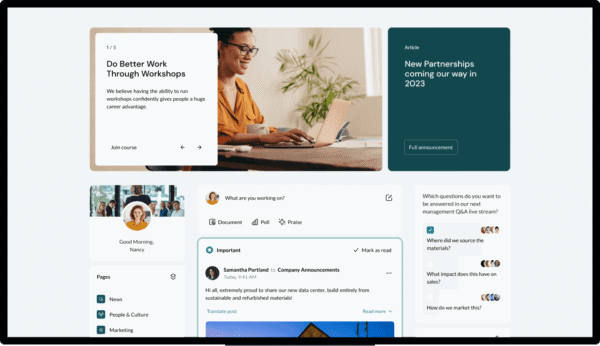
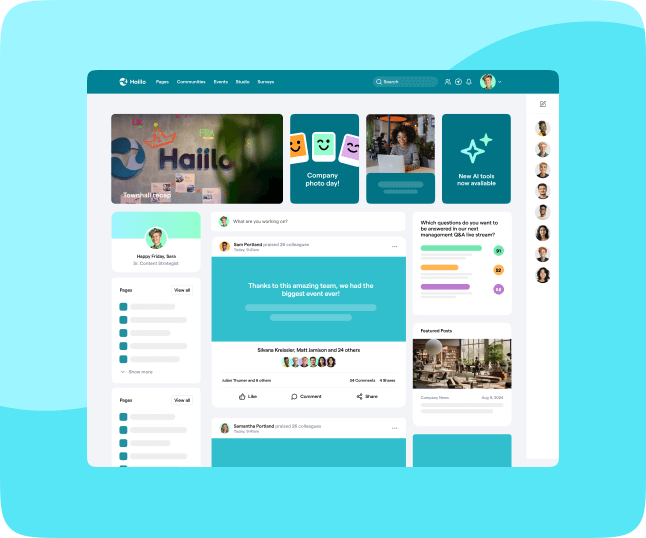
Haiilo is a user-friendly, social-focused platform that aims to drive employee engagement and streamline communication within organizations. Known for its highly customizable interface and social engagement tools, Haiilo brings together communication, collaboration, and knowledge sharing in one central platform. Designed with modern workplaces in mind, Haiilo caters to companies seeking an alternative to SharePoint that places a stronger emphasis on user engagement and a positive employee experience—a critical factor for organizations focused on replacing SharePoint with a more intuitive and impactful solution.
As companies continue replacing SharePoint, many are prioritizing platforms that go beyond document management and act as a true enterprise communication platform. Haiilo delivers on this by combining internal communications, engagement tools, and knowledge sharing into a single, seamless experience that employees actually use.
Recent research shows that only 23% of employees feel engaged at work, highlighting the urgent need for better communication and engagement tools (Gallup, 2024). Platforms like Haiilo are designed to address this gap by making communication more accessible, interactive, and relevant to employees’ daily work.
For companies seeking to empower employees and foster a collaborative and inclusive work culture, Haiilo offers a seamless and intuitive experience that enables teams to connect, communicate, and collaborate more effectively. To learn how leading organizations improve adoption, explore intranet best practices and employee communication strategy.
Why Haiilo over SharePoint?
- Levels of customization: Haiilo allows companies to create a fully branded and personalized intranet experience, helping teams stay connected, feel engaged, and significantly improve adoption rates—one of the biggest challenges when replacing SharePoint.
- Low IT maintenance: SharePoint is usually used in combination with a number of other M365 apps to create a complete intranet experience, resulting in high dependencies and maintenance costs. Haiilo is a comprehensive, ready-to-use, and intuitive intranet platform that reduces the burden on IT teams while accelerating time to value.
- Engagement-related features and analytics: SharePoint, like other M365 apps, mostly focuses on employee productivity rather than engagement. However, engagement is a key driver of performance—according to Deloitte, organizations that prioritise employee experience are 2.2 times more likely to outperform their peers (Deloitte, 2024). Haiilo provides actionable insights that help comms and HR teams continuously improve engagement.
- Mobile accessibility: With its mobile-first design, Haiilo ensures employees can stay connected even while on the go—essential for today’s distributed workforce. According to Deskless Report 2024, 80% of the global workforce is deskless, yet often underserved by traditional tools (Deskless Report, 2024).
- Integration options: Seamlessly integrates with popular tools like Microsoft 365, Google Workspace, and other business software, ensuring Haiilo fits naturally into your existing ecosystem without adding complexity. Learn more about integration strategies in workplace technology and communication channels.
If you’re evaluating options for replacing SharePoint, it’s worth considering how a platform like Haiilo can support not just communication, but your broader digital workplace strategy. For deeper insights, explore internal communications trends, employee experience strategy, and intranet content strategy.
Learn why Haiilo is the best SharePoint alternative on the market!

Confluence by Atlassian is a powerful collaboration and knowledge-sharing platform ideal for teams that need to create, share, and organize information efficiently. While Confluence is particularly popular among software development and IT teams, it’s versatile enough for any department that needs centralized documentation and collaboration. This makes it a strong contender for organizations focused on replacing SharePoint, especially when documentation and structured content are top priorities.
With a focus on structured content and document management, Confluence offers an organized alternative to SharePoint that makes information sharing more consistent and accessible. However, companies evaluating replacing SharePoint should also consider how well a platform supports broader communication and engagement—not just documentation. In many cases, pairing knowledge tools with an enterprise communication platform helps bridge that gap.
This is increasingly important as information overload becomes a growing challenge. According to Gartner, nearly half of employees struggle to find the information they need to do their jobs effectively (Gartner, 2024). Platforms like Confluence help structure knowledge, but organizations often need additional layers—such as communication and engagement—to ensure that information is actually used.
For more on improving knowledge accessibility and collaboration, explore intranet content strategy and internal communications trends, which highlight how modern workplaces are evolving beyond static documentation.
Why Confluence over SharePoint?
- Spaces and pages: Create distinct spaces and pages for each team, project, or department, allowing for easy access to relevant information. This structured approach is particularly useful for organizations replacing SharePoint with a more intuitive knowledge architecture.
- Knowledge base: Confluence’s knowledge base tools make it easy to create, share, and store important documentation and resources, helping reduce duplication and improve information accuracy.
- Collaboration tools: Real-time editing and commenting allow multiple users to work on documents simultaneously, streamlining collaboration and reducing bottlenecks.
- Templates: Choose from a variety of pre-built templates to create documents quickly and maintain consistency across teams—especially valuable for scaling content across departments.
- Integration with Jira: For organizations using Jira, Confluence provides seamless integration, enhancing project tracking and team collaboration while keeping documentation aligned with execution.
While Confluence excels in documentation, organizations replacing SharePoint often combine it with platforms focused on communication and engagement to create a more complete digital workplace. To explore how to balance these needs, check out employee experience strategy and digital workplace strategy.

Google Workspace, formerly known as G Suite, is a cloud-based suite of productivity and collaboration tools designed by Google. It combines familiar applications like Google Drive, Docs, Sheets, and Gmail, making it a versatile SharePoint alternative for companies looking for simplicity and accessibility. Google Workspace is particularly popular among small to medium-sized businesses due to its affordability, fast setup, and minimal learning curve—making it a common choice for organizations replacing SharePoint with something more lightweight.
However, while Google Workspace excels in document collaboration, companies focused on replacing SharePoint should consider whether it fully meets their internal communication and engagement needs. Many organizations eventually complement it with an enterprise communication platform to centralize updates, improve visibility, and connect employees beyond files and emails.
This gap is becoming more visible as digital workplaces grow more complex. According to Microsoft’s 2024 Work Trend Index, employees are interrupted every 2 minutes on average during the workday, often due to fragmented tools and constant context switching (Microsoft, 2024). Without a central hub for communication, productivity tools alone can contribute to overload rather than clarity.
For organizations looking to create a more connected experience, it’s worth exploring how communication and collaboration tools work together. You can learn more in employee communication strategy and intranet content strategy, which highlight how to align tools with employee needs.
Why Google Workspace over SharePoint?
- Cloud storage with Google Drive: Store and share documents, spreadsheets, and other files in the cloud, making them accessible from any device. This flexibility is a key reason many companies start replacing SharePoint with Google Workspace.
- Real-time collaboration: Google Docs, Sheets, and Slides offer real-time editing, allowing multiple users to work together simultaneously without version control issues.
- Seamless communication tools: Integrate Gmail, Google Chat, and Google Meet for a comprehensive communication solution, though often lacking the structure of a dedicated intranet or enterprise communication platform.
- Security and compliance: Google Workspace includes advanced security features, including multi-factor authentication and data loss prevention, helping organizations meet modern compliance standards.
- Easy file sharing and permissions: Manage access permissions for files and folders, ensuring that only authorized personnel can view or edit sensitive documents while maintaining transparency across teams.
While Google Workspace is a strong option for collaboration, organizations replacing SharePoint often find they need additional layers for engagement and communication. To better understand how to build a complete digital workplace, explore digital workplace strategy and internal communications trends.
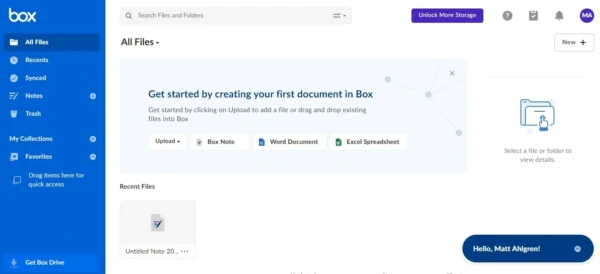
Box is a cloud content management platform known for its secure file storage and sharing capabilities. With a strong emphasis on security and compliance, Box is a suitable SharePoint alternative for organizations in highly regulated industries like finance, healthcare, and government. Its robust integration capabilities also make it a good choice for companies that use multiple applications for collaboration and document management—especially those replacing SharePoint but still prioritizing strict governance and control over content.
However, while Box excels in secure content management, organizations replacing SharePoint should evaluate whether it fully supports internal communication and employee engagement. Many companies complement tools like Box with an enterprise communication platform to ensure that information doesn’t just stay secure—but is also accessible, visible, and actionable across the organization.
This distinction is increasingly important. According to IBM’s 2024 Cost of a Data Breach report, the global average cost of a data breach has reached $4.45 million (IBM, 2024), reinforcing why secure content management platforms like Box remain essential. At the same time, organizations must balance security with usability to avoid creating silos that limit collaboration.
For a broader perspective on balancing security, usability, and communication, explore digital workplace strategy and internal communications trends, which highlight how modern organizations approach these challenges.
Why Box over SharePoint?
- Secure file storage and sharing: Box provides secure storage options with customizable permissions, making it suitable for sensitive information and organizations with strict compliance requirements.
- Workflow automation: Box enables users to automate repetitive tasks, simplifying workflows and enhancing productivity—particularly valuable when replacing SharePoint workflows with more streamlined processes.
- Advanced collaboration tools: Real-time collaboration features allow users to work on documents simultaneously, with easy file-sharing options that reduce friction in distributed teams.
- Integration with business applications: Integrates with numerous popular tools like Microsoft Office, Google Workspace, and Salesforce, ensuring Box fits into existing ecosystems without disrupting workflows.
- Compliance and data security: Box meets strict industry regulations like GDPR, HIPAA, and FINRA, making it a strong choice for regulated sectors where data protection is non-negotiable.
While Box is a strong option for secure content management, organizations replacing SharePoint often combine it with platforms focused on communication and engagement to create a more complete digital workplace. To explore how to connect these layers, check out employee experience strategy and intranet best practices.

Slack is a popular team collaboration tool that has evolved into much more than just a messaging app. Known for its easy-to-use chat interface, Slack is designed to keep communication organized and accessible. While not a direct competitor to SharePoint’s document management capabilities, Slack can be a powerful complement—or partial alternative—for companies prioritizing fast, real-time communication when replacing SharePoint.
However, organizations replacing SharePoint should be aware that chat-based tools alone rarely solve broader communication challenges. Without structure, important information can quickly get lost in message streams. This is why many companies pair tools like Slack with an enterprise communication platform to ensure important updates, knowledge, and company-wide communication are centralized and easy to find.
This challenge is becoming more visible as communication overload increases. According to Microsoft’s 2024 Work Trend Index, employees are interrupted every 2 minutes during the workday, largely due to fragmented communication across multiple tools (Microsoft, 2024). Without a clear structure, chat tools can contribute to noise rather than clarity.
Ideal for smaller teams or businesses looking to streamline real-time communication, Slack provides a familiar, intuitive environment for team conversations, task management, and even document sharing. But for larger organizations replacing SharePoint, it often works best as part of a broader ecosystem rather than a standalone solution.
For more insights into structuring communication effectively, explore employee communication strategy and internal communications trends, which highlight how leading companies reduce noise and improve clarity.
Why Slack over SharePoint?
- Channels for organization: Organize team discussions by creating specific channels based on projects, teams, or topics. This structure helps reduce email overload and keeps conversations focused.
- File sharing and storage: Share documents, images, and other files easily within channels and store them for easy retrieval, though not as structured as a full intranet.
- Third-party integrations: Integrates with hundreds of popular tools like Google Drive, Trello, and Asana, making it easy to centralize workflows across teams.
- Real-time messaging and video calls: Slack supports real-time text and video communication, ideal for quick discussions and virtual meetings—especially for distributed teams.
- Searchable archives: A powerful search function lets users locate past conversations and files quickly, saving time and increasing efficiency in fast-moving environments.
While Slack is excellent for real-time collaboration, organizations replacing SharePoint often need additional layers for structured communication, knowledge management, and employee engagement. To better understand how to combine these elements, explore digital workplace strategy and intranet content strategy.
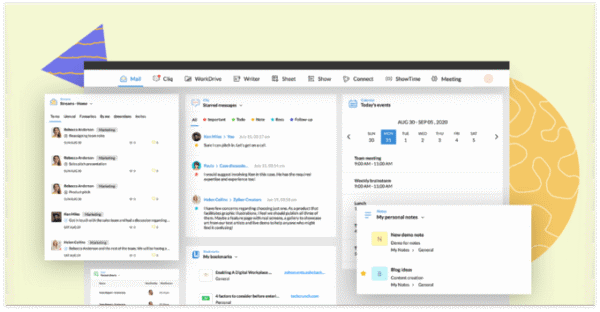
Zoho Workplace is an integrated suite of applications designed to support team collaboration, document management, and communication. This comprehensive platform includes tools for document creation, email, chat, and file storage, making it a viable SharePoint alternative for organizations looking for an all-in-one solution. Zoho is particularly popular among small and medium-sized businesses due to its affordability and ease of use, especially for those replacing SharePoint with a more streamlined and cost-effective setup.
That said, while Zoho Workplace covers a wide range of productivity needs, organizations replacing SharePoint should also consider how well it supports internal communication and employee engagement at scale. Many companies complement suites like Zoho with an enterprise communication platform to ensure that important updates, knowledge, and company-wide messaging are centralized and easy to access.
This becomes increasingly important as tool fragmentation grows. According to Gartner, employees now use an average of 11 applications daily, which can lead to inefficiencies and communication gaps if not properly integrated (Gartner, 2023). Platforms like Zoho aim to reduce this complexity, but organizations still need a clear strategy to connect tools and information effectively.
For more guidance on building a connected workplace, explore digital workplace strategy and employee communication strategy, which outline how to align tools with business goals.
Why ZOHO Workplace over SharePoint?
- Document collaboration and management: Create and collaborate on documents, spreadsheets, and presentations within the Zoho suite, offering a simpler alternative for teams replacing SharePoint’s more complex document systems.
- Unified communication tools: Zoho includes tools for email, chat, and virtual meetings, making it easy for teams to stay connected without switching between multiple platforms.
- Customization and branding options: Companies can personalize the platform to reflect their brand identity, creating a more cohesive and engaging user experience.
- Mobile accessibility: Zoho’s mobile apps ensure team members can access essential tools and information while on the go—an important factor for distributed and hybrid teams.
- Affordable pricing: Zoho Workplace is competitively priced, making it a cost-effective choice for smaller organizations with budget constraints, particularly when replacing SharePoint’s often underestimated total cost of ownership.
While Zoho Workplace offers strong value for smaller teams, organizations replacing SharePoint at scale often require additional capabilities around communication, engagement, and governance. To better understand how to balance cost, usability, and functionality, check out intranet best practices and internal communications trends.
Often the starting assumption is that if you already have Microsoft 365, then SharePoint is “free”. However, SharePoint is not a ready-to-run intranet , it is a platform on which an intranet can be configured and there will be costs involved.
This insight remains highly relevant today. Many organizations underestimate the ongoing costs of maintaining SharePoint environments, from customization to governance and support. As a result, replacing SharePoint is often driven not just by usability concerns, but by the need for more predictable costs and faster time to value.

Jostle is a cloud-based intranet platform designed for simplicity and ease of use, catering to organizations that prioritize an intuitive experience over complex configurations. Known for its user-friendly navigation and focus on employee connection, Jostle is ideal for companies that want to improve internal communication without an extensive setup process—making it a practical option for teams replacing SharePoint with a more accessible solution.
As more organizations focus on replacing SharePoint, ease of use has become a key deciding factor. Platforms that require heavy training or IT involvement often struggle with adoption. In contrast, tools like Jostle are designed to be immediately usable, helping teams communicate and collaborate without friction. However, companies should also consider how well such platforms scale and integrate into a broader enterprise communication platform strategy.
This matters because adoption is one of the biggest challenges in digital workplace initiatives. According to Gallup’s 2024 State of the Global Workplace report, only 23% of employees are engaged at work (Gallup, 2024). Tools that are simple and intuitive can help close this gap—but only if they are part of a larger communication and engagement strategy.
For more insights into driving adoption and engagement, explore employee experience strategy and intranet content strategy, which outline how to create intranet experiences employees actually use.
Why Jostle over SharePoint?
- Easy setup and navigation: Jostle provides an intuitive, easy-to-navigate platform with minimal setup required, making it a strong choice for organizations replacing SharePoint’s more complex environments.
- Employee recognition and engagement: Built-in tools allow for social recognition, helping foster a sense of community and improving employee morale across teams.
- News and announcements: Keeps everyone informed with up-to-date company news and announcements, ensuring important information reaches employees quickly.
- People directory: A comprehensive directory helps employees easily find and connect with each other, supporting collaboration across departments.
- Event planning and calendars: Manage company events, set up meeting invitations, and keep track of important dates, helping teams stay aligned and engaged.
While Jostle is a strong option for simplicity and engagement, organizations replacing SharePoint often need to evaluate how well it integrates with other tools and supports long-term scalability. To better understand how to build a connected and scalable workplace, check out digital workplace strategy and internal communications trends.

Glasscubes is a collaboration tool designed specifically for secure file sharing and project management, making it ideal for teams that prioritize data privacy. Offering user-friendly features for document sharing, task management, and group workspaces, Glasscubes is suitable for both internal teams and external partners or clients—particularly for organizations replacing SharePoint that need tighter control over sensitive information.
As more companies focus on replacing SharePoint, security and external collaboration have become key decision factors. Tools like Glasscubes are designed to simplify secure collaboration without the complexity often associated with enterprise platforms. However, organizations should also consider how these tools fit into a broader communication ecosystem, especially when scaling beyond project-based collaboration. This is where combining solutions with an enterprise communication platform can provide a more complete digital workplace experience.
Security concerns are not just theoretical. According to IBM’s 2024 Cost of a Data Breach report, the average global cost of a data breach has reached $4.45 million (IBM, 2024). This makes secure collaboration tools essential—but also highlights the need to balance security with usability to avoid slowing down teams.
For more insights into balancing security, collaboration, and communication, explore workplace technology and internal communications trends, which outline how organizations are evolving their tech stacks.
Why Glasscubes over SharePoint?
- Secure file sharing and storage: Provides encrypted file storage and sharing, ensuring data security—an essential requirement for organizations replacing SharePoint in regulated industries.
- Task and project management: Includes tools for assigning tasks, tracking project progress, and meeting deadlines, helping teams stay aligned without relying on multiple systems.
- Virtual workspaces: Create dedicated workspaces for different teams or projects, enhancing organization and collaboration across internal and external stakeholders.
- Client collaboration tools: Offers external access options, enabling seamless collaboration with clients and third parties while maintaining control over permissions.
- Audit trail and version control: Keeps track of all document changes, which is essential for accountability, compliance, and transparency in regulated environments.
While Glasscubes is a strong choice for secure collaboration, organizations replacing SharePoint should evaluate how well it supports broader communication and employee engagement. For a more holistic approach, explore digital workplace strategy and intranet best practices.
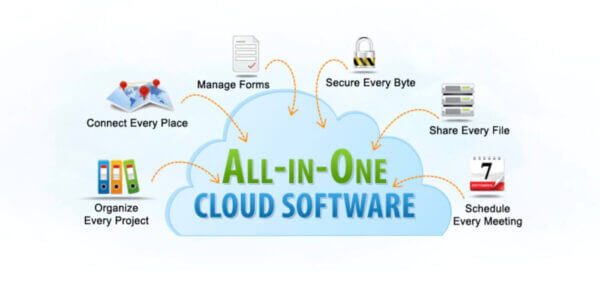
Samepage is an all-in-one collaboration and project management tool that combines messaging, file sharing, task management, and real-time document editing into a single platform. It’s ideal for teams looking for a straightforward, integrated solution to organize projects and communications without needing multiple apps—making it an appealing option for organizations replacing SharePoint with something more lightweight and unified.
As companies continue replacing SharePoint, many are prioritizing simplicity and consolidation. Tools like Samepage reduce the need to switch between multiple systems, which can significantly improve productivity. However, organizations should also consider whether these tools can scale and support company-wide communication—not just team-level collaboration. This is where pairing with an enterprise communication platform can help bridge the gap between collaboration and broader internal communication.
Tool overload remains a major challenge in modern workplaces. According to Asana’s 2024 Anatomy of Work report, employees spend 60% of their time on “work about work,” such as switching between tools and coordinating tasks (Asana, 2024). Platforms like Samepage aim to reduce this friction by consolidating workflows into a single interface.
For more insights into reducing complexity and improving collaboration, explore workplace technology and employee communication strategy, which outline how to create more efficient digital workplaces.
Why Samepage over SharePoint?
- Real-time collaboration: Provides collaborative document editing and messaging to streamline team interactions, making it easier to replace SharePoint’s more fragmented workflows.
- Task management: Offers project planning, task assignment, and deadline tracking tools, helping teams stay organized without relying on separate project management tools.
- Integrated communication: Combines chat, video calls, and document sharing to centralize team communication, though typically focused on team-level rather than company-wide communication.
- File sharing and storage: Easily upload, share, and store documents in a centralized location, improving accessibility and reducing duplication.
- Templates for workflow efficiency: Offers customizable templates that can be reused for common workflows or projects, helping teams standardize processes and save time.
While Samepage is effective for simplifying collaboration, organizations replacing SharePoint should evaluate how well it supports long-term growth, governance, and communication at scale. To explore how to build a more connected and scalable setup, check out digital workplace strategy and intranet content strategy.

Nuxeo is a powerful content management and digital asset management (DAM) platform that excels in handling large volumes of content and complex workflows. Built for organizations with specific content management needs, Nuxeo is a versatile SharePoint alternative designed for industries such as media, finance, and manufacturing—especially those replacing SharePoint to gain more control over complex content ecosystems.
As organizations continue replacing SharePoint, many are looking for platforms that can handle not just documents, but rich media, structured data, and advanced workflows. Nuxeo stands out in this area, offering flexibility and scalability for content-heavy environments. However, companies should also evaluate how well it supports broader communication and employee engagement—areas where pairing with an enterprise communication platform can provide additional value.
The need for advanced content management is growing rapidly. According to IDC, the global datasphere is expected to reach 175 zettabytes by 2025, driven largely by unstructured data like documents, videos, and images (IDC, 2023). This makes platforms like Nuxeo particularly valuable for organizations managing large and complex content libraries.
For organizations evaluating how to structure and manage content effectively, it’s also useful to explore intranet content strategy and workplace technology, which highlight how content and communication systems should work together.
Why Nuxeo over SharePoint?
- Advanced content management: Manage documents, images, videos, and other digital assets with comprehensive tools, making it ideal for organizations replacing SharePoint with more advanced content needs.
- AI-Powered content tagging: Uses AI to automatically tag and categorize content, improving searchability and reducing manual effort—an increasingly important feature as content volumes grow.
- Customizable workflows: Allows for the creation of complex workflows tailored to industry-specific needs, supporting compliance and operational efficiency.
- Secure document storage: Provides high-level security for content, including compliance with strict industry standards, ensuring sensitive data is protected.
- Integration with enterprise software: Integrates with existing business applications like Salesforce, SAP, and Adobe Creative Cloud, enabling seamless workflows across systems.
While Nuxeo is a strong choice for advanced content management, organizations replacing SharePoint should consider how it fits into a broader digital workplace strategy—particularly when it comes to communication and employee engagement. For a more complete approach, explore digital workplace strategy and internal communications trends.
Conclusion: Understanding When to Go With SharePoint
When considering SharePoint over other solutions, it’s essential to evaluate your organization’s primary goals and long-term strategy. SharePoint is ideal for companies that need a secure, structured knowledge repository with advanced document management capabilities—particularly in compliance-heavy environments where governance and control are critical.
Its powerful, customizable workflows make it suitable for handling complex processes and compliance-driven content management, which is why many organizations continue to rely on it as a core system for storing and managing essential documents. For organizations not actively replacing SharePoint, it can still serve as a strong backend system for document storage.
However, as many companies have discovered, SharePoint can be challenging to set up, maintain, and evolve. More importantly, it lacks built-in tools for driving employee engagement or facilitating meaningful social interaction. In today’s workplace, where communication speed and clarity are essential, static systems often fall short.
This is one of the main reasons organizations are increasingly focused on replacing SharePoint—or at least complementing it with more modern tools. According to Gallup’s 2024 report, only 23% of employees are engaged at work (Gallup, 2024), highlighting the need for platforms that actively connect and engage employees rather than simply store information.
On the other hand, solutions like Haiilo are built as a modern enterprise communication platform, designed to boost internal communication and foster a connected company culture. Haiilo’s easy-to-use interface, personalized newsfeeds, and social interaction tools help ensure that information reaches employees in a way that is timely, relevant, and engaging.
For organizations replacing SharePoint or looking to modernize their digital workplace, this shift is less about replacing functionality and more about enhancing the employee experience. You can explore how to approach this transition in digital workplace strategy and internal communications trends.
Many businesses ultimately adopt a hybrid approach—using SharePoint for core document management and compliance, while implementing Haiilo as a complementary layer for communication, engagement, and culture. Together, these platforms create a more balanced digital workplace that supports both structured content management and the human side of work.
See the benefits of using Haiilo today