
Intranet platforms have evolved significantly in the past few years, incorporating social media features, AI content, and mobile-first communication to increase user adoption.
Today’s intranets aren’t just places to store documents. They’re where company news lives, policies are found (quickly, ideally), and employees access the tools they use every day. Many platforms now include personalized feeds, integrations with tools like Microsoft 365 or Google Workspace, and search that actually works. Still, choosing the best intranet platform can feel overwhelming. Every provider promises better engagement and smoother communication, but what really matters is how well it fits your structure, your culture, and your existing tech stack.
In this guide, we’ve listed the 9 best intranet software platforms in 2026. In the analysis, we’ve used multiple sources, such as peer review sites, providers’ websites, and third-party reviews. We outline must-have features, pros and cons, and pricing to help you decide on the best intranet platform solution for your company. We also look at practical factors like rollout effort, scalability, governance, and day-to-day usability — because even the best intranet platform on paper won’t deliver value if people don’t actually use it.
But first, briefly, what is intranet software?
- 1. Haiilo - Best for Large Companies and Employee Experience
- 2. Microsoft Sharepoint - Best for Knowledge Sharing
- 3. Viva Engage - Best for Social Networking
- 4. SAP Jam Collaboration - Best for Companies Using SAP
- 5. Happeo - Best for Google Workspace Integrations
- 6. Interact - Best for Enterprises
- 7. Unily - Best for Customization
- 8. Staffbase - Best for Best for Community
- 9. Lumapps - Best for User-friendly Interface
What is an intranet platform?
Intranet platforms are centralized digital workplaces for internal employee collaboration and communication within organizations. Think of it as a social media platform for employees, designed for internal company use rather than public sharing, with similar features like content sharing, messaging, and notifications. In practice, it’s where employees go to read company updates, find documents, access HR resources, connect with colleagues, and stay aligned on priorities — whether they’re in the office, remote, or on the frontline.
Company intranet solutions are now also known as employee experience platforms, employee communication, or employee engagement platforms, due to companies’ ongoing efforts to retain, motivate, and engage their talent. As expectations around usability and personalization have increased, the best intranet platform is no longer just a publishing tool — it’s a core part of how people experience work each day.
For example, Haiilo is one of the best intranet solutions for large companies because of its customizable capabilities, out-of-the-box integrations, social and interactive knowledge sharing features, as well as security and privacy controls. It’s built to scale across regions and departments, without becoming complex or difficult to manage.
Simplify and streamline your internal comms with Haiilo
What is the best intranet platform?
Determining the best intranet platform depends largely on company size, structure, and operational complexity. Enterprises and large companies with thousands of employees often prioritize scalability, advanced customization, governance controls, and seamless integrations with tools like Microsoft 365 or Google Workspace. Start-ups and small companies with fewer staff typically need something more cost-effective, faster to launch, and simple to manage without heavy IT involvement. The right choice depends on how your people work — across locations, shifts, and devices — not just on feature lists.
In essence, the best intranet platforms are designed to improve internal communications within organizations, while also reducing noise and making information easier to access. A strong intranet keeps employees informed, connected, and aligned, and helps to improve the overall employee experience. That means fewer scattered emails, less time spent searching for documents, and more clarity around priorities and company updates.
On the admin side, your chosen intranet platform should be easy to use yet customizable enough to meet specific company needs and requirements. Editors and internal comms teams should be able to publish content quickly, segment audiences, and track performance without relying on developers. When choosing the best intranet software solution for specific needs, here are some key features to consider:
- Content sharing capabilities;
- Employee mobile app;
- AI automation and content creation;
- Employee survey and listening features;
- Personalized messaging across multiple channels;
- Collaboration tools;
- Internal search;
- Knowledge sharing;
- Analytics and insights.
Now, let’s dive deeper into the best intranet platforms in 2026.
9 Best intranet software platforms
While there are many intranet software platforms available, it’s not always clear which solution best fits your company needs. Above all, company intranet solutions aim to facilitate internal communication and collaboration, but their depth of functionality, ease of use, and scalability can differ considerably. Some are built for simple content publishing, while others act as a full digital workplace hub, bringing together tools, knowledge, and employee engagement features in one place.
💡 Read: The Haiilo guide to flow in the workplace
Therefore, we evaluated several leading employee intranet communication software solutions targeted at both large enterprises and small to medium-sized businesses. We looked at real-world use cases, feature sets, customization flexibility, security and compliance standards, as well as pricing models and customer support. The goal was to identify not just popular tools, but platforms that deliver measurable value and long-term adoption.
So, let’s dive right in. Here are the 9 best intranet software platforms to consider for your company:
1. Haiilo – Best for large companies & employee experience

Reviews: 4.6 / 5 stars on G2
Best for: large companies with a mixed-collar workforce, looking to simplify the digital workplace and improve employee experience, engagement, and communication
Target market: 49% Large / 42% Mid-Market
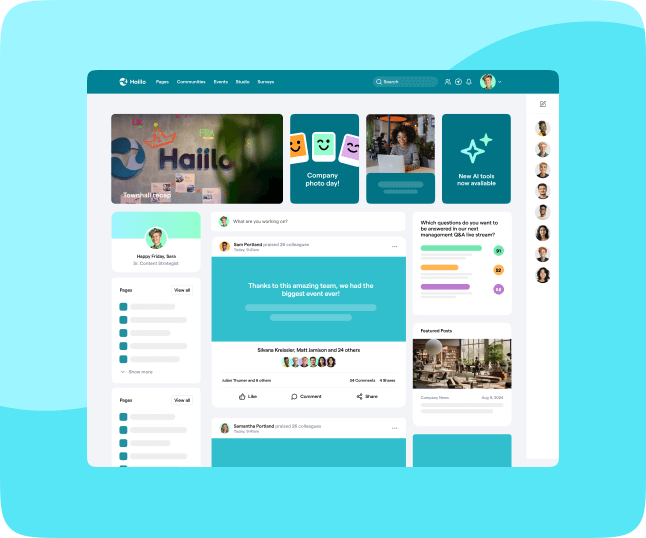
Overview: According to many user reviews, Haiilo is the best intranet platform for large companies. It is an employee experience platform built around a modern, AI-powered social intranet that helps every employee find their flow at work. By bringing together communication, company knowledge, and everyday tools in one place, Haiilo reduces complexity and makes it easier for people to stay informed and aligned.
Furthermore, Haiilo uniquely combines multichannel internal communications with a best-in-class intranet, engagement surveys, and employee advocacy capabilities in a single, connected platform — eliminating the need for multiple disconnected tools.
Haiilo is a strong fit for large organizations with desk-based and frontline employees. Leaders can share targeted updates at scale, while communities, comments, and personalized feeds support two-way dialogue and collaboration. With seamless integrations into core workplace systems like Teams, Google Workspace, and Microsoft 365, Haiilo fits naturally into existing workflows rather than adding another layer of complexity.
Top features and capabilities:
- Easy rollout to managed and own devices
- Robust filtering and segmentation options enabling content hyper-personalization
- Intuitive content builder to create engaging content in minutes
- Content collaboration functionalities and approval flows appropriate for complex organizational structures
- Branded mobile app for all devices
- Powerful integration capabilities with workplace tech stack and APIs for custom integrations (integrates with Google Workspace and Microsoft 365)
- User-engagement insights and actionable recommendations for improvement
- Private Cloud: ISO 27001 and EU-DSGVO compliance
- White labeling
- Additional features for employee engagement, such as employee surveys and employee advocacy
Due to its product capabilities, enterprise focus, and customer satisfaction, Haiilo has been named a leader in the employee communications category according to SoftwareReviews.

Main disadvantages, according to users:
- No native filters for uploaded filters
- Retrieving archived content could be improved
- No pre-existing templates for pages
Pricing: Haiilo offers flexible pricing packages. Request a demo to find out more.
Words from Haiilo’s customers:
It’s very user-friendly tool accessible both on phone and laptop. It’s easy to share content using this application, and also we are able to see the engagement of each post. It also offers ready-made content to post at any given time.
The ease with which I can submit posts is what I like the best. Newly added features like video posts and the new reporting dashboard with workforce insights have further increased the value of the platform.
Easy-to-Use interface everyone can get behind. Due to its great UX/UI all teams and employees can be quickly onboarded.
Reviews: 4 / 5 stars on G2
Best for: knowledge sharing, document libraries, document sharing
Target market: 35% Enterprise Intranet / 65% Mid-Market
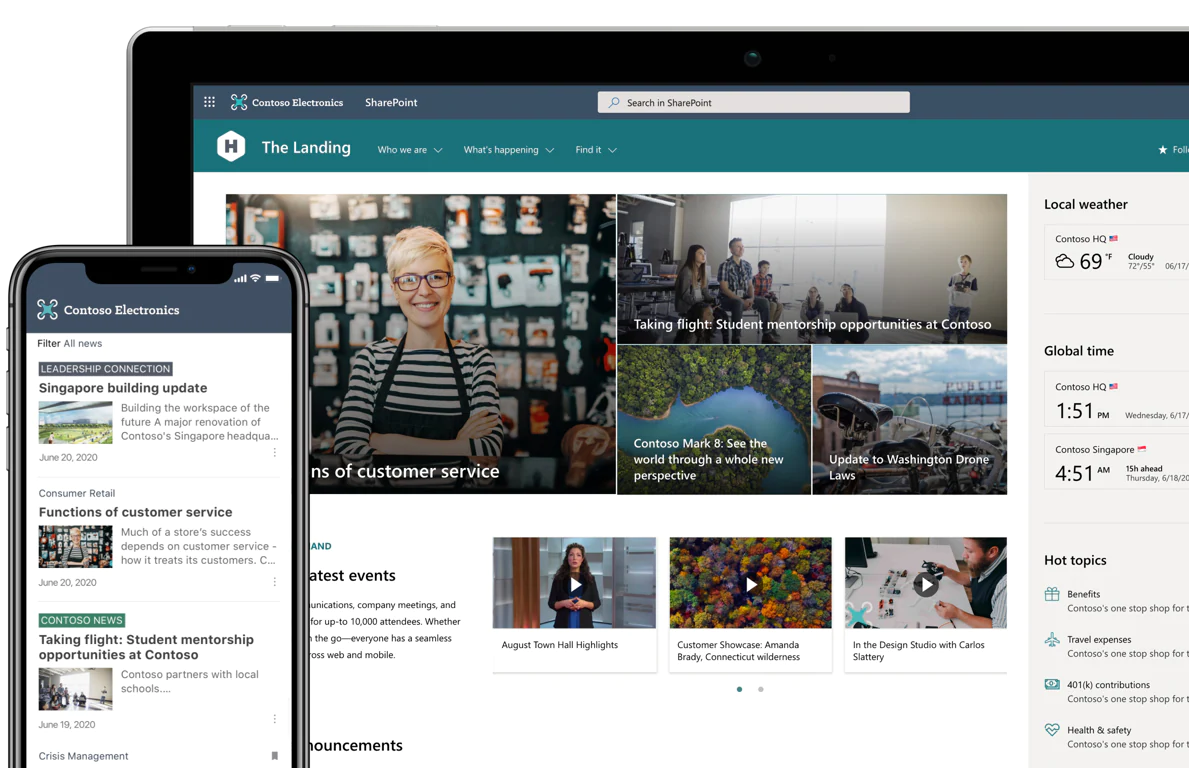
Overview: With Microsoft SharePoint you can share and manage content, knowledge, and applications to empower teamwork, quickly find information, and seamlessly collaborate across the organization.
While this intranet platform has many different features, most of them are optimized to mainly enable seamless document and knowledge management. So if you are already using Microsoft 365 in your organization, Microsoft SharePoint may be the best intranet platform for creating document libraries and for document sharing.
Top features and capabilities:
- Perfectly integrates with other Microsoft 365 applications
- Best for document sharing across and between organizations
- Robust role-based permissions and user management
- Accessible from any device
- Document versioning and data retention, and security functionalities
- Direct messaging and video calls
- Security and data privacy
Main disadvantages, according to users:
- Low user adoption due to poor interface, UX, and UI
- Not so easy to deploy
- Pricey
Pricing: Microsoft SharePoint pricing starts at $5 per user per month if paid annually. However, if you are looking for a fully-featured enterprise version, the price jumps to $10 per user per month.
💡 Read: What everyone should know before using Sharepoint as their intranet
Words from Sharepoint customers:
Quick and easy to grant access to sites created or document access. Can segregate content to various business areas and has good integration with office applications such as teams and outlook
We can access documents shared by team members and co-workers from other areas of the organization and find functions for our needs, such as red flags, com checks, and other forms.
Time-saving because of simultaneous access and update of content. The easy way of sharing information has also been greatly improved past few years, and it is easy to adopt for beginners.
3. Viva Engage – Best for social networking
Reviews: 4.5 / 5 stars on G2
Best for: knowledge sharing, networking with colleagues across the business
Target market: 59% Large / 31% Mid-Market / 10.3% Small
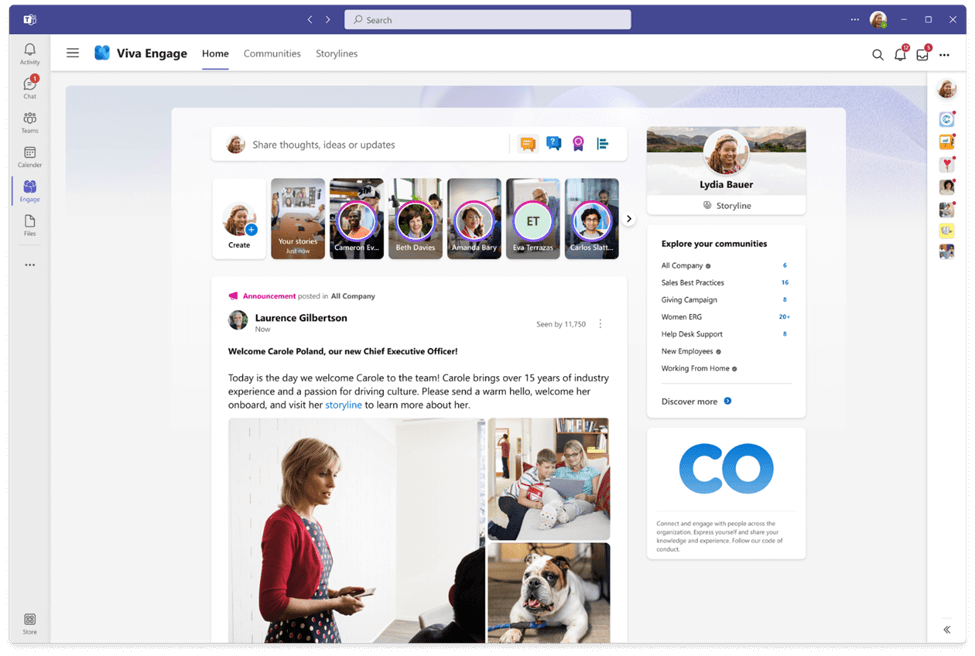
Overview: Viva Engage helps employees strengthen their work relationships, find and share knowledge, and feel included within Microsoft Teams.
Viva Engage offers a newsfeed that shows conversations and activities based on employees’ communities, behavior, and interests, and it learns over time to increase relevance and drive engagement. Within the app, you can create communities to share and network with colleagues from across the business.
Top features and capabilities:
- Communities based on employee interests and preferences
- Content engagement functionalities such as likes, reactions, and mentions
- Questions and polls within discussions
- It works well with Microsoft applications
- User profiles and directory
- Enterprise-level security, compliance, and management features of Microsoft 365 that help protect data
- Available mobile app
Main disadvantages, according to users:
- Notifications automatically go to Microsoft Teams and Outlook
- Content gets lost, and it gets difficult to find older posts
- Poor user interface and slow uploading of some content formats
Pricing: Varies. Contact Viva Engage for a custom quote.
Words from Viva Engage customers:
Yammer is like we can get the details of our company where we can post our thoughts and know all the information about our company. Very easy to post and communicate with colleagues.
The communities feature of Yammer is pretty good as employees can join only the communities of their interest and receive updates about them directly from their teams as it is well integrated with the rest of office tools like Teams and Outlook. We can comment and give reactions to posts just like any social media.
The fact that you can email posts without logging into Yammer, tag colleagues, ask questions in the poll form, and give praises and kudos all in one post. The platform builds community and team camaraderie.
4. SAP Jam Collaboration – Best for companies using SAP
Reviews: 3.7 / 5 stars on G2
Best for: large companies and enterprises using SAP tools, social collaboration, information sharing
Target market: 63.3% Large / 24.3% Mid-Market / 12.4% Small
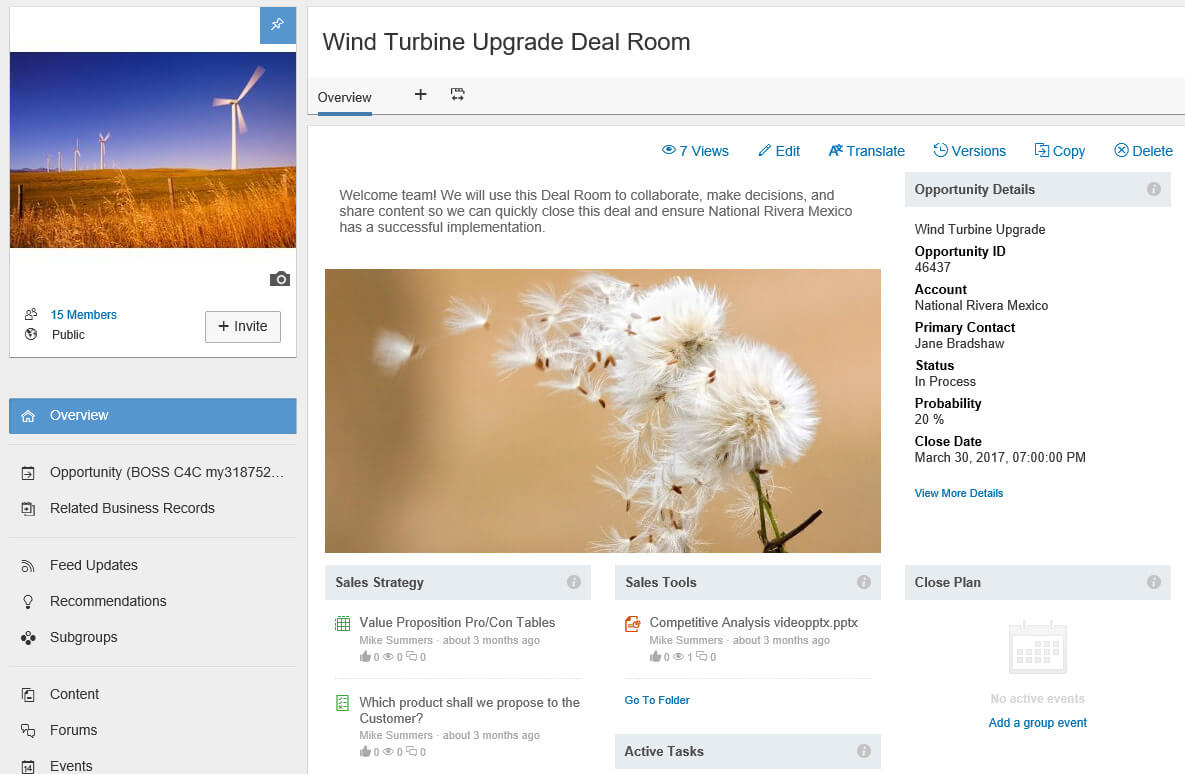
Overview: SAP Jam Collaboration is a social collaboration solution that brings together people, processes, information, and applications. It integrates seamlessly with other SAP tools which is why some companies prefer this intranet platform.
Enterprises use this intranet platform to help their employees and partners collaborate on projects, learn, and innovate together. SAP Jam is designed to drive results by structuring conversations and enabling people to make informed decisions.
Top features and capabilities:
- Clean and intuitive interface
- Mobile access
- Blogs and wikis with updated dynamic rich text editors
- Content mirroring, sharing, and versioning
- Event creation with invitations to current and pending members
- Forum participation and moderation for problem-solving and discussion
- Groups for public, private, or external members
- Integrations with Microsoft Skype for Business, Microsoft®Sharepoint, OpenText Content Server, and more
- Screen recordable or ready to upload and share videos
- Task assignments
- Time away alerts and notifications
Main disadvantages, according to users:
- According to G2, SAP Jam Collaboration is 30 to 50% more expensive than the industry average
- Notifications and news can be overloaded and redundant
- Lacks customization options for specific industry requirements
Pricing: Contact the seller for pricing details about this intranet platform.
Words from SAP Jam Collaboration customers:
Great way for individuals in different organizations to collaborate and find information related to SAP. This is a great tool to segregate ideas on different products and capabilities and establish a great discussion thread.
The home page is very easy and basic to navigate, and the features allow anyone of any skill and expertise to use SAP Jam.
6. Happeo – Best for Google Workspace integrations
Reviews: 4.5 / 5 stars on G2
Best for: Google Suite integrations, content management features, collaboration, social networking
Target market: 17.6% Large / 69.7% Mid-Market / 12.7% Small
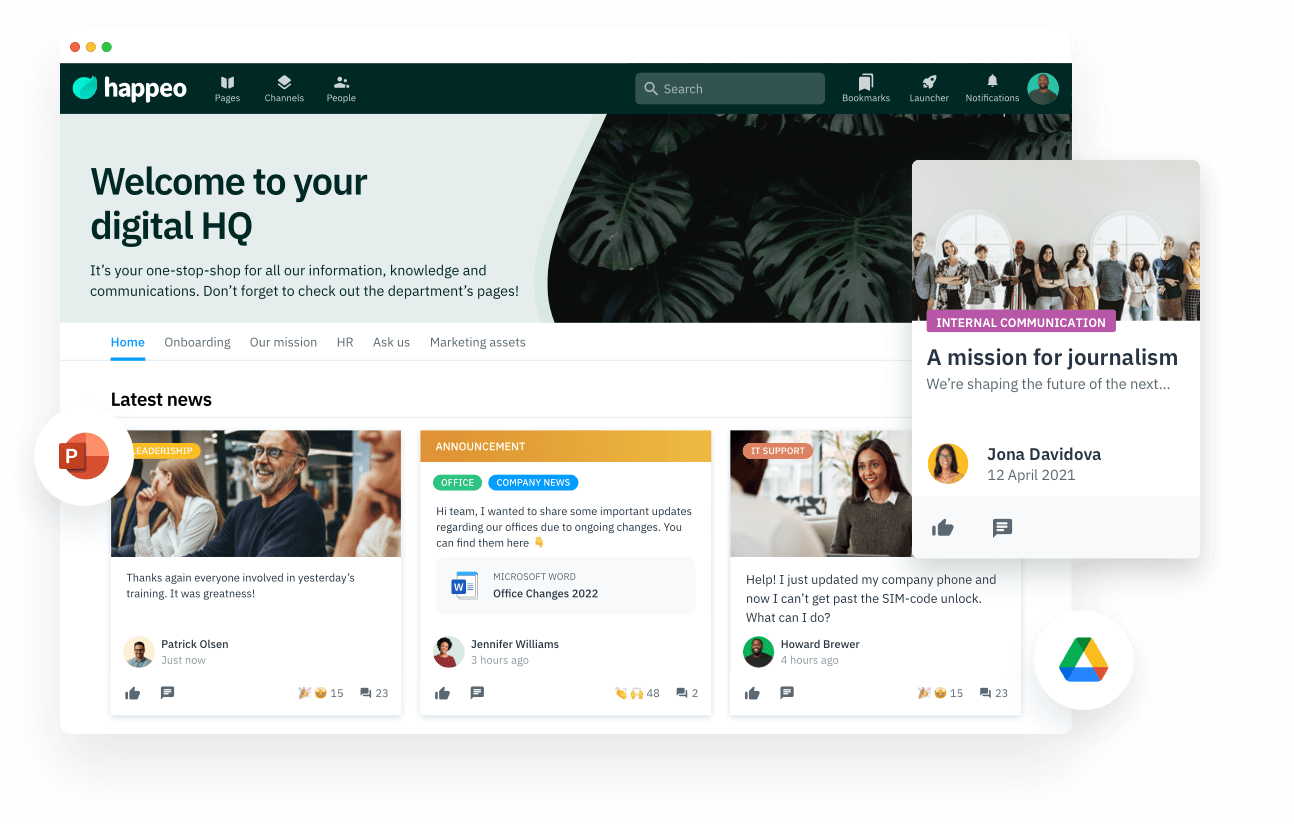
Overview: Happeo’s powerful Federated search function makes it one of the best intranet solutions on the market. It integrates with Google Suite and provides users with content management features and functionalities, as well as some additional employee engagement tools. Happeo combines an intranet, collaborative features, and social networking into one unified intranet software platform.
Happeo consists of 3 main parts:
- Pages – drag-and-drop content builder and embed links to documents, forms, files, spreadsheets, calendars, and social media feeds
- Channels – discussions and direct communications
- People – people directory and search based on employees’ language, position or specialization
Top features and capabilities:
- Customizable interface from pre-built page templates
- Ability to sync shared Google drives with specific channels to share documents & files easily
- Federated search – ability to search from Happeo across other tools such as Confluence, Slack, Jira, and Zendesk
- Read response tracking to understand readership and engagement
- Personalized notification preferences
- Create pages in multiple languages (manual or Google Translate)
- Mobile-friendly
- Good customer service
- SSO/SAML authentication
- GDPR compliant and ISO27001 certified
Main disadvantages, according to users:
- Limited search function
- Lack of analytics, e.g. a dashboard with insights
- It can be difficult to use on mobile devices (a challenge for frontline workers)
Pricing: Happeo has 3 pricing plans for which it doesn’t provide pricing on its website. Contact the seller directly for a pricing quote.
Words from Happeo’s customers:
The platform is a game-changer for information sharing, communication, and collaboration within a company. It combines a digital workplace and collaboration platform with a social intranet and integrates the Google Workspace tools, too.
The interface for Happeo is crisp and intuitive to use. For our company, there is a banner with dropdown menus that keeps everything organized and easy to find. It’s a great way to stay up-to-date on all the newest happenings at your organization.
Google integration is convenient, especially the search functionality. Also, the considerably simple way of creating a well-designed website with minimal involvement from the design team.
7. Interact – Best enterprise intranet

Reviews: 4.6 / 5 stars on G2
Best for: enterprise intranet, multinational organizations with complex structures, customization
Target market: 48% Large / 52% Mid-Market
Overview: For companies with complex intranet requirements, Interact is one of the best intranet providers on the market. It has been serving multinational organizations with specific needs and organizational structures for over a decade. The company’s mission is to inform and connect every organization’s greatest asset: its people. Some of its biggest customers include Levi’s, Domino’s, Teva Pharmaceuticals, and Sony PlayStation.
Top features and capabilities:
- Multichannel distribution options that improve the reach and relevancy of communications
- Personalized homepages, workflows, and forms, and set up teams and forums to help users find information and share ideas
- Integrations with Microsoft 365, SAP Concur, ServiceNow, Salesforce, Google Workplace, Workday, and Box
- Native mobile apps for iOS and Android
- White labeling
- An easy-to-use content editor to create and share the engaging content your organization needs
- AI-powered inclusivity checker that assists communicators through helpful suggestions for inclusive, positive language
- People Directory with central access to employee profiles complete with information on expertise, experience, and interests
- Instant translation to 60 languages
- Digital signage
- Social capabilities, broadcasts, notifications and updates, profile badges, quizzes, rewards, and recognition
Main disadvantages, according to users:
- Long back-end learning curve (takes the understanding of how to manage the system behind the scenes)
- Lacks more in-depth analytics, and reports can be hard to create
- Newsletter formatting can be improved
Pricing: The pricing for Interact is not available online. Contact the seller for a pricing quote.
Words from Interact’s customers:
Interact is easy to use – quite intuitively – and the system makes it feasible for us to have a global intranet that delivers information to our employee base across several regions.
As an administrator of the site, I find it simple to use and the comprehensive customization options to be very useful, as it allows me to populate the site with a wide range of content and keep it dynamic and well organized.
On a technical level, the intranet has good integrations with some of our business applications (OneDrive, SharePoint), which helps it feel like a natural extension of the productivity tools we already use.
8. Unily – Best for customization
Reviews: 4.5 / 5 stars on G2
Best for: blue-collar workers, gamification features, employee recognition
Target market: 40.5% Enterprise / 35% Large / 24.5% Mid-Market
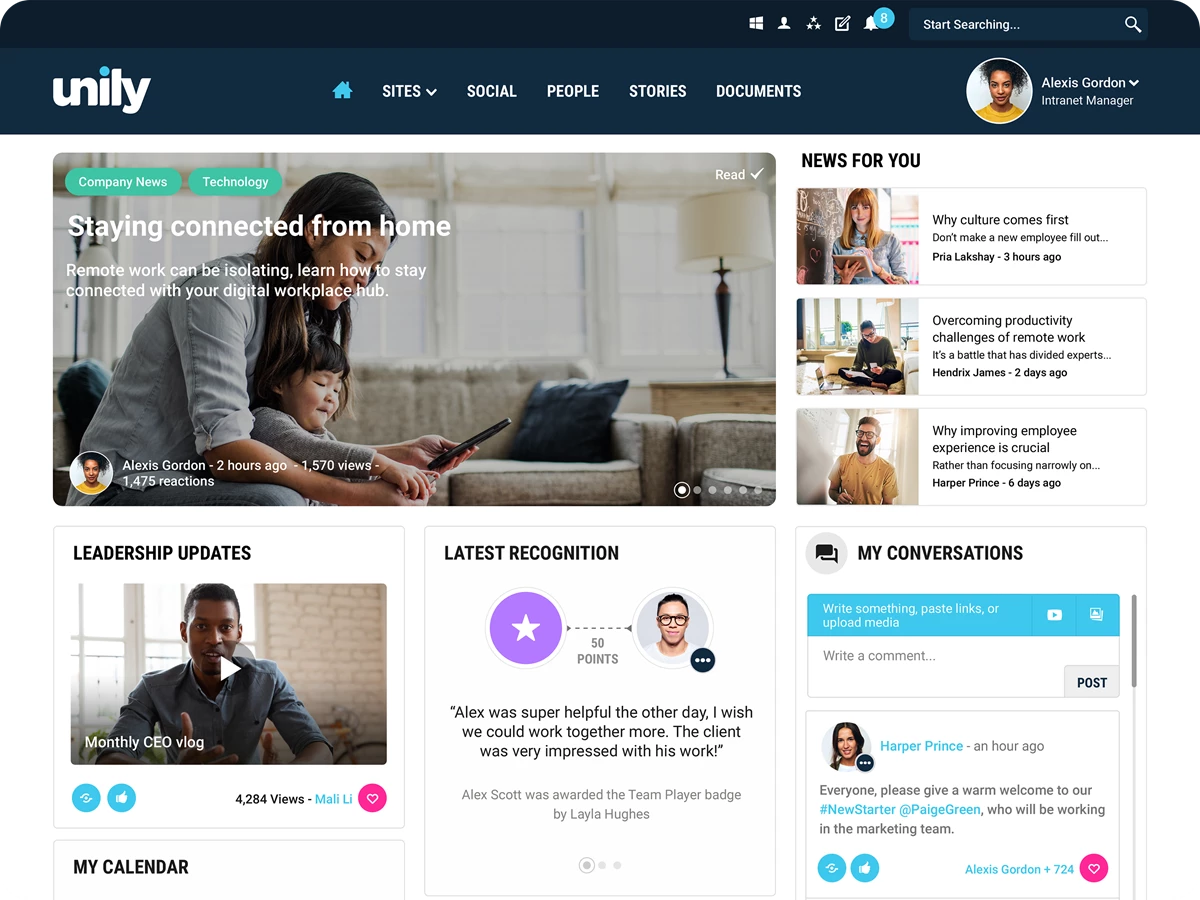
Overview: For companies with many requirements for an intranet platform, Unily might be the option on the market. The abundance of features they offer covers various aspects of digital employee experience, such as internal communciations, employee recognition, employee journey and so on.
Their focus on blue-collar workers and gamification elements increases the adoption rates and makes them one of the most beloved intranet solutions among companies with a lot of blue-collar workers.
Top features and capabilities:
- Multichannel distribution options to email, SharePoint, mobile app and other integrations
- Mobile app that focuses on blue-collar workers
- Employee surveys features that make it easy to implement employee feedback
- Communication planning calendar
- Translation options for various types of content, including imported documents and videos
- Integrations with Microsoft 365, Salesforce, Google Workplace, Slack, Okta, Workday, Servicenow and Box
- Native mobile apps for iOS and Android
- White labeling
- Badges for rewards and recognition
- Gamification elements for higher adoption rates
- Options for tracking various stages of employee journey
- Digital signage
Main disadvantages, according to users:
- The abundance of features makes it hard to follow up on bugs
- Integration with Microsoft 365 could be improved
- Customer support needs to be improved
Pricing: The pricing for Unily is not available online. Contact the seller for a pricing quote.
Words from Unily’s customers:
Unily has been a great partner. We’re able to take advantage of the many options, features, and functionality that they offer for their internet. We love that it is easy to use, customizable within reason, and user friendly. We’re very happy with the customer service that we’ve recieved from both the customer service teams and the technical teams from Unily.
The best part of Unily is it is very easy to use and provides a single platform for communication and is suitable for all your business needs.it makes it easier to share files between teams and collaboration.
9. Staffbase – Best for community
Reviews: 4.7 / 5 stars on G2
Best for: internal communications, reaching mobile workforce, internal newsletters
Target market: 58.9% Large / 41.1% Mid-Market
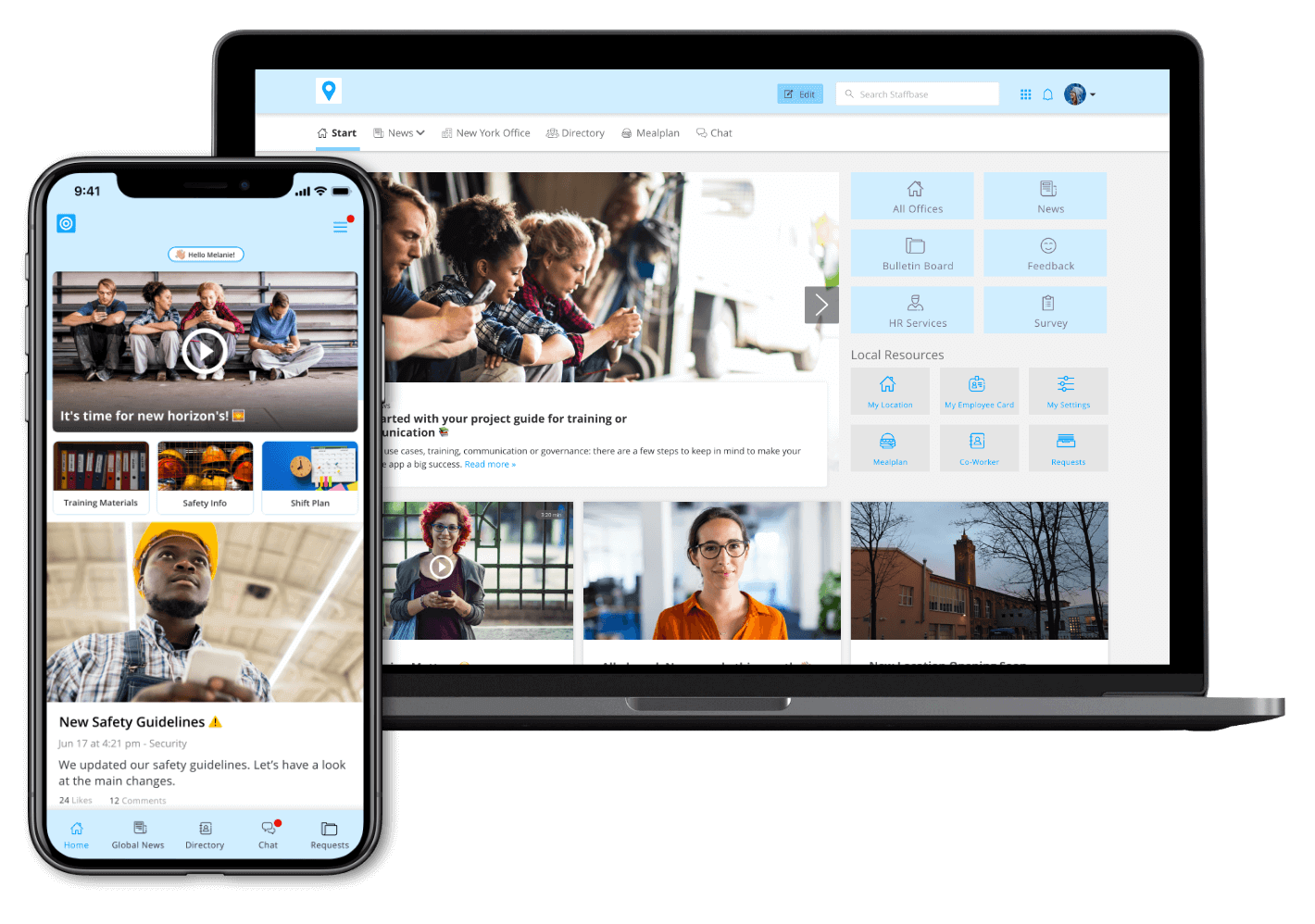
Overview: Staffbase is a good intranet software for internal communications (IC) and managers whose goals revolve around orchestrating top-down communication. Their strong set of features and integrations makes them a perfect solution for companies that focus primarily on distributing communications and reaching a mobile workforce.
Many users also note the email tool with smart follow-ups as it helps IC managers easily create compelling newsletters while maintaining the company’s brand identity. If internal newsletter is one of your preferred communication channels, you might consider checking out this intranet platform.
Top features and capabilities:
- Options for multi-channel sharing for higher levels of readership
- Easy-to-use mobile app to reach a distributed blue-collar workforce
- Customizable newsletter tool that allows to send branded newsletters to segmented audiences
- Personalized notification preferences
- White labeling
- Digital signange that helps connect the most important tools within your tech stack
- Integrations with M365, Oracle, Sap, Workday, Google Workspace, etc.
Main disadvantages, according to users:
- The Outlook plug-in needs adjustments
- Analytics tool could be developed further
- Limited bottom-up and vertical communications capabilities
Pricing: The pricing for Staffbase is not available online. Contact the seller for a pricing quote.
Words from Staffbase customers:
I find Staffbase email an incredibly useful tool to build beautiful emails that are aligned with our brand look & feel and at the same time collect insightful data. The information we gather in the back office supports us in making informed decisions about how we prepare and share internal comms with our different audiences across the business and allows us to flexibly change our approach when required.
Creates beautiful newsletters/emails, integrates well into Outlook, has email test sending ability, and tracks clicks and opened emails. I appreciate the clean and consistent look you end up with. You can include videos, images, links, and quotes.
Before Staffbase, our team didn’t have a consistent and easy way to communicate changes and updates to our teams of 3000+ employees. Now, with customized lists and templates, we’re way more efficient in reaching the right folks in a timely manner.
10. Lumapps – Best for user-friendly interface
Reviews: 4.2 / 5 stars on G2
Best for: knowledge sharing, Microsoft365 and Google Workspace users, easy-to-use interface
Target market: 65.5% Large / 35.5% Mid-Market
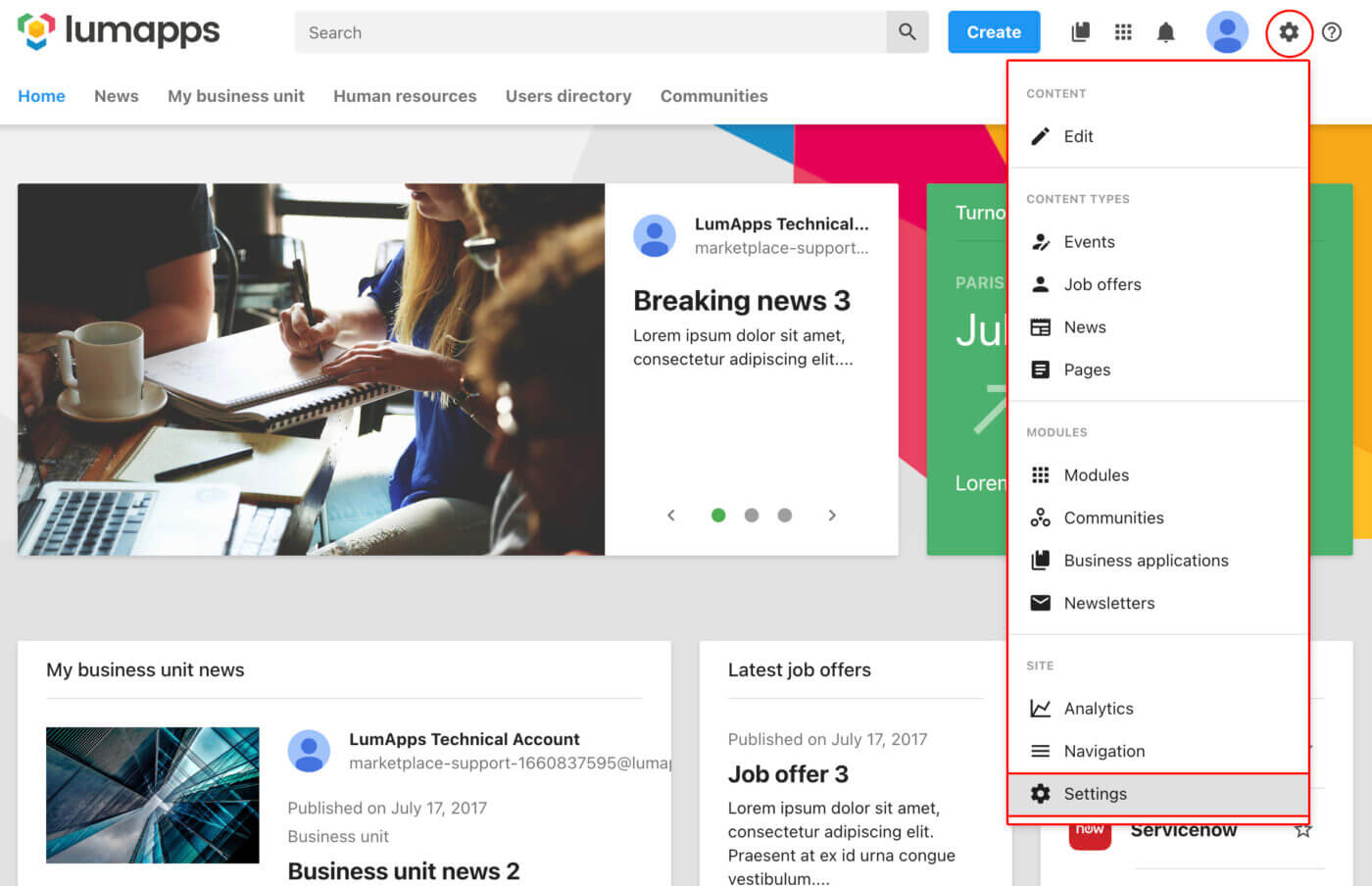
Overview: Lumapps is yet another pick on our list of the best intranet platforms. Unlike the previous solution, Lumapps intranet software allows for both top-down and vertical communication, making a perfect fit for companies that look for improving employee experience alongside with internal comms. Their integrations with Microsoft365 and Google Workspace come as part of the package due to their strategic partnerships.
What’s more, they offer advocacy features, which might be useful for companies that try to take a holistic approach to their communications.
Top features and capabilities:
- Options for multi-channel sharing to increase the levels of relevancy and decrease information overload
- Powerful and easy-to-use content creator
- Communities allow for vertical communication and knowledge sharing
- Seamless integration with Microsoft365
- Google Workspace partner that allows for a powerful native integration
- White labeling
- Digital signange
- Detailed analytics
- Employee advocacy features
- Instant translation to 30+ languages
- Integrations with M365, Oracle, Sap, Workday, Google Workspace, etc.
Main disadvantages, according to users:
- Resource-heavy implementation
- Any adjustment to the interface will require IT support, which reduces autonomy
- Analytics come for an extra cost
Pricing: The pricing for Lumapps is not available online. Contact the seller for a pricing quote.
Words from Lumaapps customers:
Very simple to plug and play. Easy to learn and train new employees to begin building new content. I also enjoy how closely it ties into Google Enterprise, making it easy to communicate with other members of the organization.
LumApps is a seamless user experience (thanks to integrations with Google Workspace, Okta and so on) helping create a universal look and feel with our brand identity, tools and other platforms, which helps keep our users engaged and returning to our intranet as part of their day-to-day work.
Key intranet features for large companies
The requirements for key intranet features change depending on the company’s size and complexity. Large organizations with dispersed workforces across offices, remote environments, and frontline roles — often spanning multiple countries and time zones — require a different approach than small businesses with fewer employees. Even within the enterprise segment, needs vary by industry, regulatory environment, and digital maturity. A global manufacturing company will have different priorities than a professional services firm. As scale increases, so do governance, security, and communication challenges — and your intranet must be built to handle that reality.
Some of the key features of enterprise intranets:
- Scalability: Ability to handle large numbers of users and vast amounts of data, designed to support employees across multiple departments, locations, and countries without performance issues;
- Customization: Extensive options to tailor the intranet to specific organizational structures, branding, workflows, and regional requirements;
- Integration capabilities: Seamless integration with enterprise software and productivity suites like (M365, Google Workspace), HRIS, Applicant Tracking Systems (ATS), and ERP platforms to reduce tool switching;
- Advanced security features: Including single sign-on (SSO), multi-factor authentication, role-based permissions, and robust access controls to protect sensitive information;
- Advanced analytics and employee insights: A detailed understanding of usage patterns, reach, engagement levels, and content effectiveness to support data-driven decisions;
- Multi-language support: Essential for global organizations with diverse workforces and localized communication needs;
- Social features: Networking capabilities to interact with and follow colleagues, use @mentions and #hashtags, and encourage knowledge sharing across silos;
- Accessibility from everywhere: A diverse workforce means multiple target groups and different requirements, such as office, remote, or frontline. Features like desktop access, a company mobile app, digital signage, SMS, email, Slack, and/or MS Teams help ensure reach;
- Personalization, targeted comms & content lifecycle management: Large organizations generate massive volumes of content, so intelligent targeting and clear governance are critical to avoid information overload and keep communication relevant.
Key intranet features for small companies
Small and medium-sized businesses with a limited number of employees, often working in a single location, require a different approach to their key intranet features than enterprise intranets or those of large companies. For example, start-ups typically focus on core functionalities that directly support day-to-day operations and team collaboration, while prioritizing cost-effective and flexible solutions. In many cases, there isn’t a dedicated internal communications or IT team managing the platform, so simplicity and speed matter. The goal isn’t to manage global complexity — it’s to keep everyone aligned, reduce email overload, and make information easy to find without adding admin burden.
Here are some of the key intranet software features for a small company:
- Cost-effectiveness: Affordable solutions with clear pricing and good value for money;
- Implementation: Quick setup without extensive IT support or long rollout projects;
- Ease of use: Intuitive interfaces requiring minimal training, with a clean and easily navigable design;
- Communication tools: Messaging, announcements, company news, and updates in one central place;
- Employee directories: Staff profiles with photos, contact details, and department information;
- Wikis/FAQs: A self-maintained knowledge base for procedures, policies, onboarding materials, and Q&As;
- Low maintenance: A simple admin interface to add or edit content with minimal technical involvement;
- Analytics: Basic usage reports on traffic and content popularity to understand what employees actually use.
Intranet platform alternatives to consider
Workplace tech terminology has become confusing for many people. In the sea of engagement, experience, and communication apps, it can take time to understand which features and functionalities each category actually offers — and where the overlaps begin. Some tools are positioned as collaboration platforms, others as employee apps, social intranets, or full employee experience suites. On the surface, they may sound similar, but their core strengths and long-term value can differ significantly.
While some platforms focus primarily on communications, others are designed for collaboration, engagement initiatives, or frontline connectivity. A few bring multiple modules together, creating more comprehensive employee experience platforms that combine intranet, surveys, advocacy, and analytics in one system. The key is understanding whether you need a standalone tool or a more unified approach that reduces complexity instead of adding another app to manage.
To help you understand these technologies better, we have prepared a few useful resources:
- What is an Employee Experience Platform and Why Your Company Needs One
- What is an Employee Engagement App and Why Your Company Needs One
- Employee App: Definition and Top Reasons Why Your Workplace Needs One
- 15 Internal Communication Tools Your Company Needs (and How to Choose Them)
- Employee Advocacy Software: How to Choose the Best Solution
If you are looking for a powerful intranet platform with additional modules for employee engagement, pulse surveys, and employee advocacy, schedule a Haiilo demo today!
Best intranet platform FAQs:
1. What is intranet software?
Intranet software is a platform that companies can use to build their internal employee website (intranet) for internal communication and collaboration purposes within the organization. It acts as a central hub where employees can access company news, policies, tools, and knowledge in one secure environment. Unlike public websites, intranets are private and designed specifically for employees. Modern intranet software often includes personalization, integrations with workplace tools, and mobile access to ensure employees can stay connected wherever they work.
2. What does intranet software do?
Intranet software platforms allow companies to share important information like company policies, news, updates, and key resources. They also reduce reliance on scattered emails and disconnected systems by centralizing communication. Employees can connect with coworkers through file and document sharing, internal messaging, a mobile app, communities, comments, and collaborative spaces. Many of the best intranet platform solutions also offer advanced search, integrations with tools like Microsoft 365 or Google Workspace, and analytics to measure engagement and content performance.
3. What is social intranet software?
Social intranet software builds on traditional intranet functionality by enabling social connectivity, engagement, and participation among employees. It includes features such as user profiles, activity feeds, @mentions, comments, communities, and interactive content-sharing capabilities — all within a secure, internal environment. The goal is to encourage two-way communication rather than top-down announcements only. For organizations looking for the best intranet platform, social features are often essential to drive adoption and create a stronger sense of belonging across teams and locations.
4. What is the best intranet platform?
The honest answer is: it depends on your organization’s size, goals, and existing technology stack. Enterprises with thousands of employees may prioritize scalability, governance controls, multilingual support, and deep integrations. Smaller companies often focus on affordability, ease of use, and fast implementation. The best intranet platform is the one that fits naturally into how your employees work, improves internal communication, and makes information easy to find. It should simplify your digital workplace — not add another layer of complexity.
See the benefits of using Haiilo today