
Advancing your company’s intranet security is important for avoiding the increasing security threats organizations face today. Whether you are building an intranet or buying an out-of-the-box solution, security should be on top of your mind.
When it comes to intranet security, it is critical that employers pay attention to appropriate access controls, data encryption, and compliance with their industry’s regulations. A secure intranet starts with clear rules on who can see what. For example, HR data should only be visible to HR teams, while company-wide updates remain open to all employees. Encryption should protect data both in transit and at rest, especially when teams access the intranet remotely.
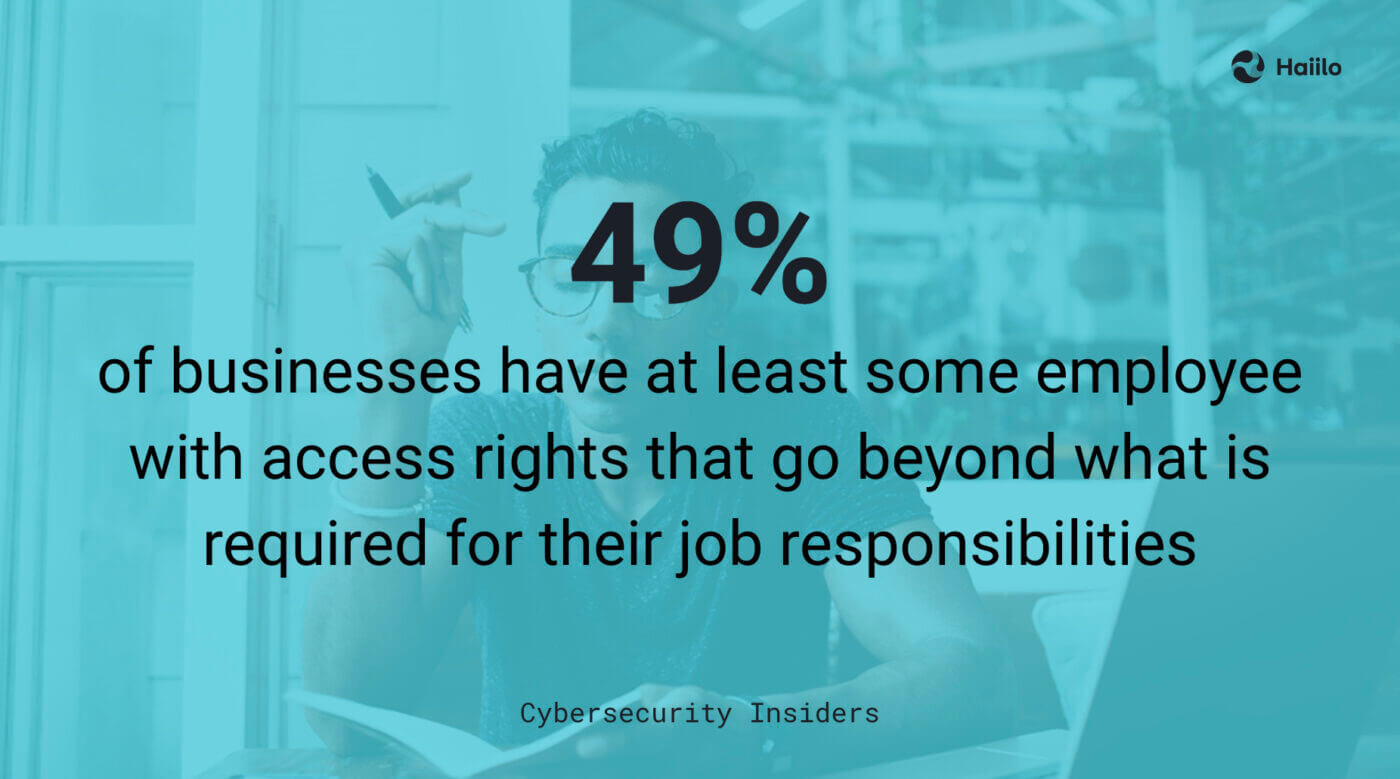
Unfortunately, according to research, 49% of businesses have at least some employee with access rights that go beyond what is required for their job responsibilities. This kind of over-permissioning increases the risk of data leaks, whether accidental or malicious. Regular access reviews and role-based permissions help keep your secure intranet locked down. Pair this with multi-factor authentication and routine audits to catch issues early and reduce exposure.
Furthermore, recent findings show that the human element remains a major risk. In fact, around 68% of data breaches involve human actions — such as clicking phishing links, using weak passwords, or mishandling data. This highlights a clear gap in how employees interact with security tools and policies. A secure intranet should reduce these risks by guiding users, not relying on them to get everything right.
It is obvious that employers need to ensure greater intranet security. In this blog, we will explain the 9 intranet best practices to make your digital workplace a more secure place for employees to communicate, collaborate, and exchange important information.
- 1. Understand Various Security Threats
- 2. Educate Your Employees and Create an Intranet Security Policy
- 3. Set Up Appropriate Access Controls
- 4. Implement Secure Login Protocols
- 5. Ensure Compliance with Security Standards
- 6. Encrypt Your Data
- 7. Perform Regular Penetration Tests
- 8. Choose Your Intranet’s Hosting Location Wisely
- 9. Make Sure Your Intranet Vendor Invests In Security and Compliance
1. Understand Various Security Threats
The very first step in improving your intranet’s security is understanding various types of internal and external security threats and how various intranet providers can help you eliminate those. A secure intranet depends on knowing where risks come from and how they show up in daily work. For example, a phishing email may look like a routine IT request, while outdated software can quietly open the door to attackers.
The use of intranets as internal communication channels emphasizes the importance of information security, and assets held on intranets may increase the interest of potential misusers. Teams share sensitive files, HR data, and business plans every day. Without clear safeguards, this information becomes an easy target. Regular risk assessments and employee awareness help keep your secure intranet protected as threats evolve.
Here are some of the most common threats to pay attention to:
Internal threats
- Passwords – when employees use easily guessable or very common passwords, the entire stability and security of your company intranet could be at risk.
- Access controls – use robust access control permission to limit who can see and do what on your intranet.
- Encryption – encryption transforms data into a different format, rendering it unreadable to unauthorized users. .
- Device management – avoid unsecured remote access by employees through devices that do not have a reliable antivirus or adequate firewall protection.
- Data Leakage- Employees intentionally or unintentionally leak data if it is not managed and decentralized without adequate security mechanisms in place within the organization.
External threats
- Malware including ransomware, viruses, and threats that slow down the intranet.
- Phishing attacks can lead employees to trust the source of the requests and disclose sensitive data.
- Distributed Denial of Service (DDoS) attacks are cyber-attacks in which the perpetrator seeks to make a machine or network resource unavailable to its intended users.
- Man-in-the-middle attacks (MITM) allow attackers to intercept and alter communications between two parties without their knowledge.
- Physical theft of company devices.
Haiilo offers enterprise-grade intranet security. Learn more!
2. Educate Your Employees and Create an Intranet Security Policy
If you are serious about your organization’s employee intranet security, you should have an internal policy explaining rules and regulations for using the intranet. A secure intranet depends on clear guidance that employees can easily follow in their daily work. Policies should be practical, not just theoretical, with real examples of what is allowed and what is not.
According to research, 61% of all breaches involve credentials, whether they are stolen via social engineering or hacked using brute force. So in your policy, make sure that you cover best practices for creating strong passwords. For example, require passphrases instead of simple passwords and support multi-factor authentication to strengthen your secure intranet.
Next, explain various access levels and controls. Have procedures for requesting access to folders, materials, pages, channels, and other company data. Keep these processes simple to avoid workarounds that can weaken security.
Ensure your intranet security policy also covers best practices for remote access. This is particularly important for remote and hybrid workplaces and those companies employing frontline workers without a designated working space. Spell out when to use VPNs, secure Wi-Fi, and approved devices.
Recent research shows that a large share of employees still use personal devices for work, increasing risk if not managed properly. Considering that nearly 50% percent of data breaches are linked to human actions or misuse, organizations must employ effective security management platforms across the enterprise.
For remote and blue-collar workers in particular, it’s critical to stress the importance of only using the intranet through a secure network, on an approved device. Still, despite the risks presented by remote and hybrid work, a concerning 50% of organizations don’t have a policy on the security requirements for their remote workers.
3. Set Up Appropriate Access Controls
Large enterprises with complex hierarchies need to make sure to set up appropriate role-based permissions and controls to avoid unauthorized intranet access. According to LogRhythm survey, 44% of security professionals believe that identity and access management can address their current security gaps.
Ideally, your intranet provider should come with built-in or custom access controls to support even the most complex enterprises. In addition, the intranet provider should support integration to all the popular identity and access management tools to better manage the users.
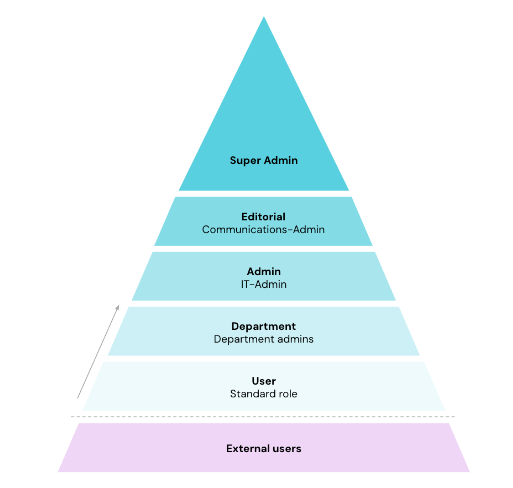
Source: Haiilo permissions and roles
Under permissions, you should be able to precisely define specific activities a user can do within your intranet. Under roles, you should be able to define certain sets of permissions for each. With that, you should set up various roles that are – or aren’t – permitted to perform certain actions.
More advanced solutions may also offer roles and permissions on a group level. Groups may make it easier for you to manage roles and permissions. Above all in large companies, it’s helpful to use groups to keep track of everything. You can thus define groups that have several roles.
Last but not least, if your intranet integrates with your user directory or identity provider, this can make it much easier to control intranet access levels in your company.
4. Implement Secure Login Protocols
Besides just encouraging workers to create stronger passwords to access your intranet, there is another best practice you should follow to ensure greater intranet security. A secure intranet starts with controlling how users log in and how identities are verified at every step.
SAML-based Single Sign-on (SSO) gives users access to your intranet through your company’s identity provider (IdP). SAML adds an extra layer of security as it ensures that only your company’s employees can join your company’s intranet. It also reduces the risk of password reuse across multiple tools, which is a common weak point.
Furthermore, because employees will only have one password to remember, it’s easier to enforce requirements such as password policy including multi-factor authentication. This means even if credentials are compromised, access is still blocked without the second factor.
After all, the main goal of SSO is securing authentication to applications, which account for many security breaches and offer hackers a potential entry point into an organization or identity. Adding features like session timeouts and device recognition can further protect your secure intranet from unauthorized access.
Luckily, many social intranets come with built-in Single Sign-On capability, which can help you to improve your intranet security and make it easier for employees to access the intranet and drive greater user adoption which is critical for your intranet’s ROI.
5. Ensure Compliance with Security Standards
Security-conscious organizations in highly regulated industries are particularly concerned about making their intranets a secure place where employees can communicate and exchange data and information daily. A secure intranet must align with recognised standards such as GDPR, ISO 27001, or SOC 2 to reduce legal and operational risk.
Even though the primary focus of GDPR compliance was on customer data and marketing functions, the information you hold on your employees and how you interact with them digitally could leave you just as vulnerable as your customer experience data. For example, storing employee records, contracts, or internal messages without proper controls can expose sensitive data if accessed or shared incorrectly.
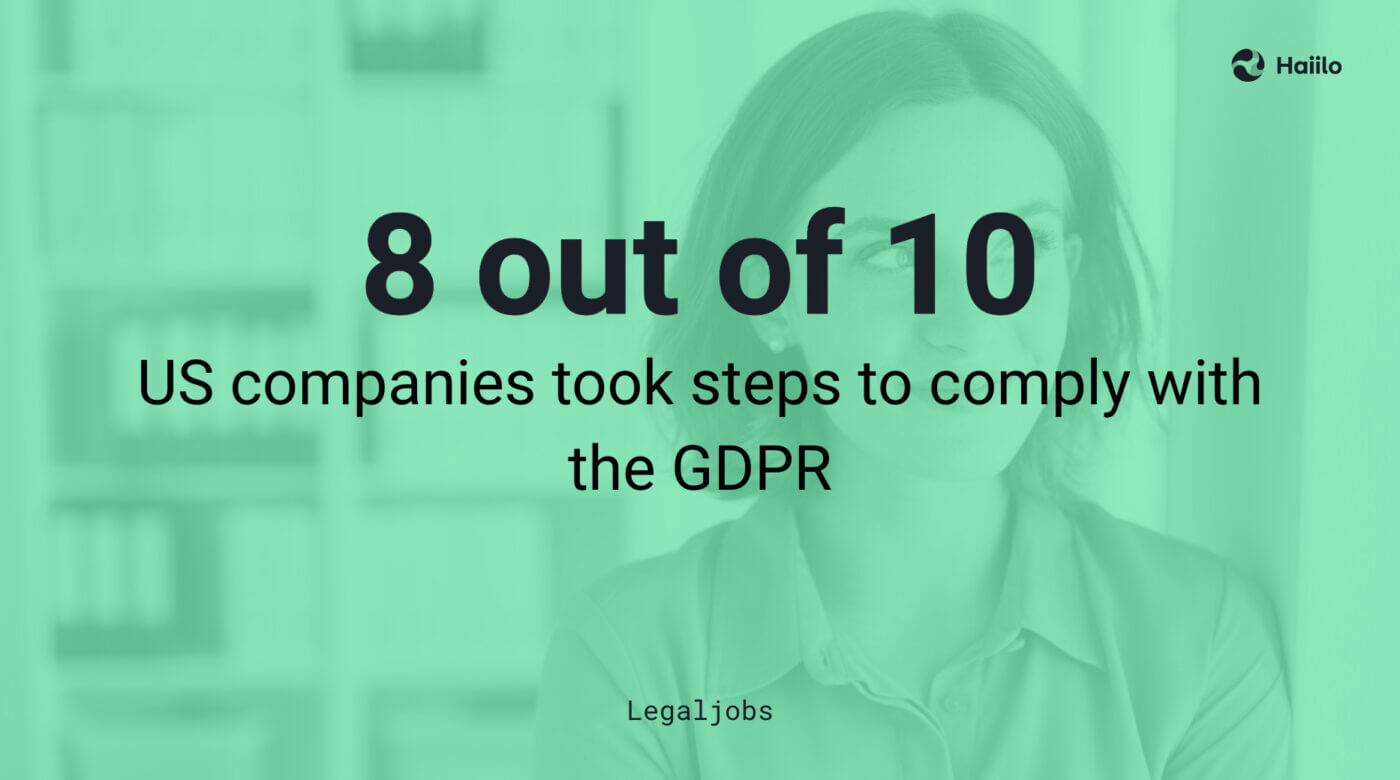
Some may think that GDPR concerns only European countries, but research proves that nearly 8 out of 10 US companies took steps to comply with the GDPR. This shows how global data regulations have become. Building compliance into your processes from the start makes your secure intranet easier to manage, audit, and scale as requirements evolve.
Hence, it is critical that organizations around the world choose intranet software vendors that are GDPR-compliant. Ideally, look for a vendor that has developed a “contract for the processing of personal data on behalf of a controller” (ADV contract) to create legal certainty for both sides.
With Haiilo, you can choose to store your data in the EU, and its sovereign cloud option prevents data from being accessed even by the cloud provider, and the encryption key of data still remains in the EU.
6. Encrypt Your Data
All of your company’s internal communication tools should offer encryption at rest and in transit.
Data encryption transforms data into another form so that only people with access to the decryption key can read it. The purpose of data encryption is to protect digital data confidentiality as it is stored on computer systems and transmitted using the internet or other computer networks.
Currently, encryption is one of the most popular and effective data security methods used by organizations.
Make sure that all your intranet data is automatically encrypted both in transit and at rest using state-of-the-art cryptographic technology— so unauthorized users won’t be able to understand the information even if they get their hands on it. Ensure that your vendor employs robust one-way hash functions to encrypt users’ passwords, minimizing the potential impact of a data breach.
7. Perform Regular Penetration Tests
Regular penetration tests (a.k.a. pentests) are essential for improving your intranet’s security. With the help of a penetration test, platforms like Haiilo check their existing IT infrastructure and web applications annually for potential vulnerabilities.
In addition, at Haiilo we perform internal security scans and checks as a part of our secure software development lifecycle process.
8. Choose Your Intranet’s Hosting Location Wisely
Where your data is stored can have a significant impact on improving the security of your company’s intranet data.
To ensure resilient cloud infrastructure security, it is smart to look for an intranet solution that offers location-based hosting options.
Solutions like Haiilo have recognized the significance of hosting locations for their customers and their adherence to compliance standards. This is why Haiilo offers a choice between EU and US hosting options for its services in the cloud.
9. Make Sure Your Intranet Vendor Invests In Security and Compliance
Above everything else, make sure that your intranet provider takes security seriously and provides enterprise-grade security features and functionalities. A secure intranet depends not just on your internal practices, but on how your vendor builds, tests, and maintains their platform. It is critical that the vendor continuously invests in improving their security features and makes security an important part of their product roadmap. Look for regular updates, penetration testing, and clear incident response processes.
At the very minimum, your intranet provider should be ISO 27001 certified. ISO 27001 is the international standard for information security management, and this certification ensures that the company follows the industry’s security best practices, standards, and regulatory requirements. It also shows that security is audited and improved over time, not treated as a one-off task.
If your company is located in Europe or deals with employees, customers, or partners in Europe, then GDPR compliance is a must. Make sure that your software provider has a designated Data Protection Office and a team of security experts to guarantee full data privacy and sovereignty as well as compliance with the strictest industry regulations. Ask where your data is stored and how it is protected to keep your secure intranet fully compliant.
FAQs about secure intranet
What is a secure intranet and why does it matter?
A secure intranet is a private network designed to protect your company’s internal data, communication, and systems. It matters because employees share sensitive information daily, from HR records to business plans. Without proper safeguards, this data can be exposed or misused. A secure intranet helps reduce risk, maintain trust, and support compliance with industry regulations.
What are the biggest risks to intranet security?
The biggest risks come from both internal and external threats. Internally, weak passwords, poor access control, and accidental data sharing are common issues. Externally, phishing, malware, and ransomware attacks are constant threats. Many breaches happen due to human error. That’s why a secure intranet needs both strong security tools and clear user guidance.
How can I make my intranet more secure?
Start with simple steps. Use role-based access so employees only see what they need. Enable multi-factor authentication and Single Sign-On to protect logins. Keep your systems updated and run regular audits. Employee training is also key. A secure intranet depends on both technology and user behavior working together.
What should I look for in a secure intranet provider?
Choose a provider that takes security seriously. Look for certifications like ISO 27001 and GDPR compliance. Features like encryption, SSO, and audit logs are essential. Also, check how often the provider updates their platform and handles security incidents. The right partner makes it easier to maintain a secure intranet over time.